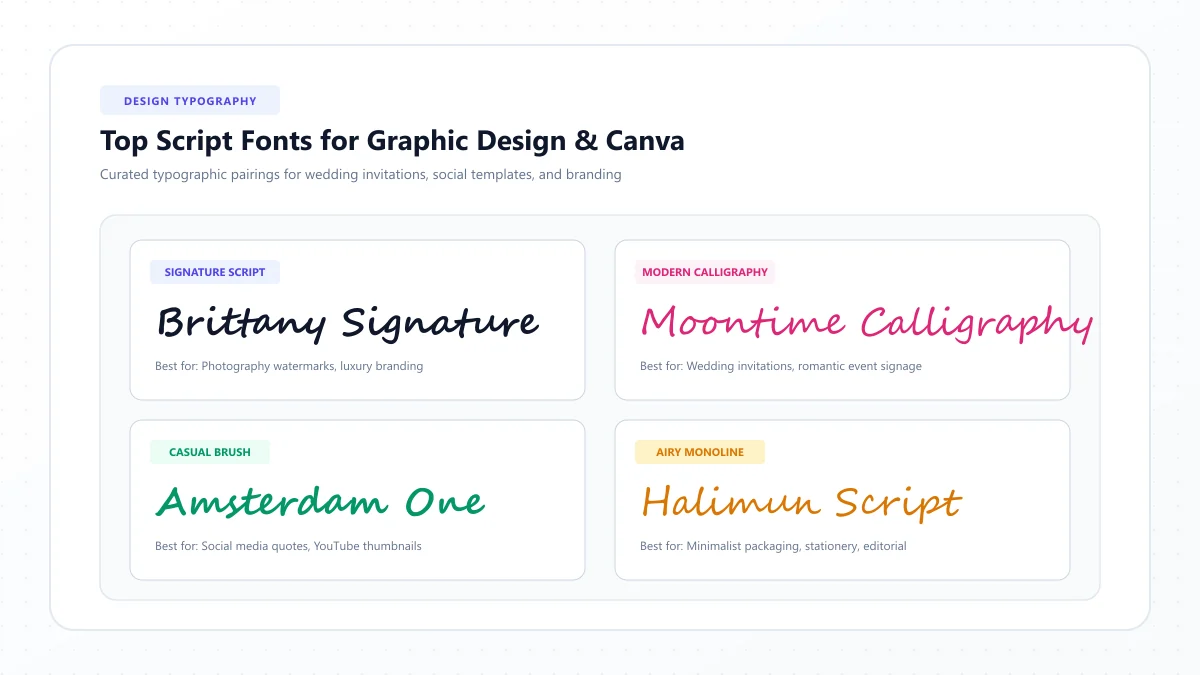
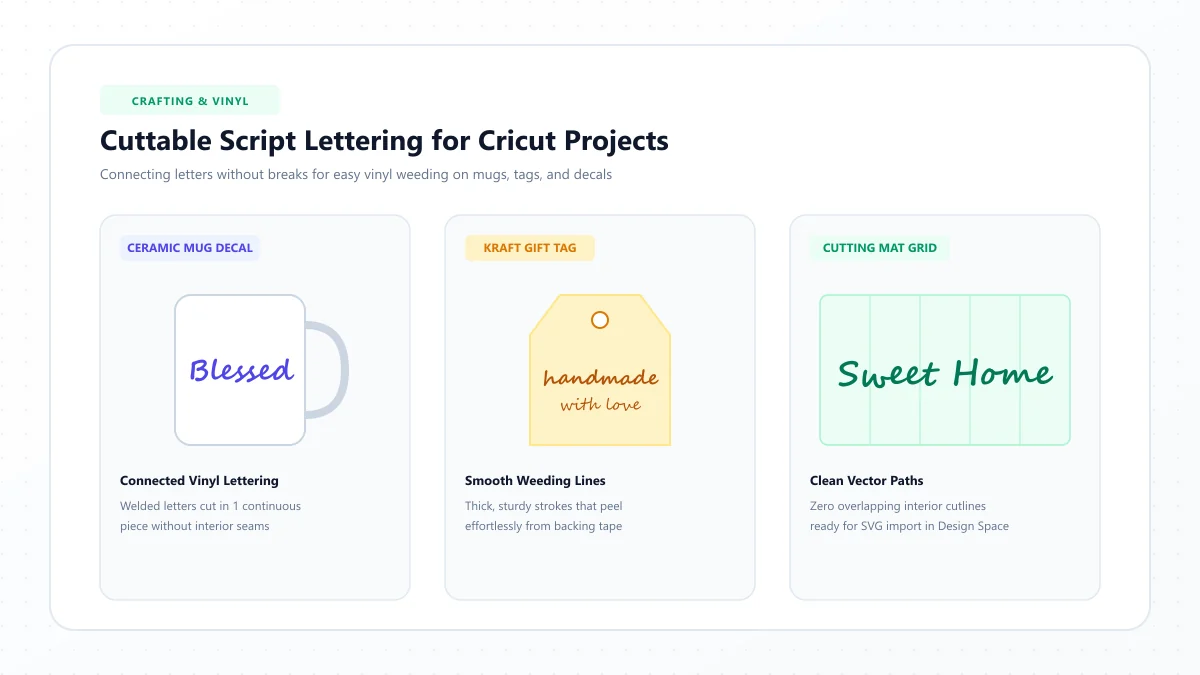
A beautiful cursive font can turn a plain mug into a personalized gift, make a simple T-shirt look professionally designed, or give a wooden sign a lovely handmade feel.
But if you've ever tried cutting decorative script with a Cricut machine, you know that not every font works as beautifully as it looks.
Some letters separate when they should connect. Thin strokes tear while you're removing excess vinyl. Small loops become difficult to weed, and elaborate flourishes can make an otherwise simple project frustrating.
That's why choosing the best cursive fonts for Cricut involves more than finding attractive lettering.
You need fonts that suit the material, work at your chosen size, and can be prepared correctly in Cricut Design Space.
In this guide, you'll discover 20 beautiful script and handwriting fonts to explore for Cricut projects, from bold retro lettering to elegant calligraphy. You'll also learn how to connect letters, use Weld and Unite, choose fonts for vinyl and iron-on projects, and avoid common cutting mistakes.
Whether you're creating personalized tumblers, custom shirts, birthday signs, wedding decorations, or handmade gifts, you'll find practical ways to make your cursive lettering easier to work with.
What Are the Best Cursive Fonts for Cricut?
For many beginner-friendly vinyl projects, start by comparing Pacifico, Lobster, Courgette, Satisfy, and Yellowtail.
These fonts offer relatively substantial letterforms and clear visual personality, although their exact cutting performance depends on the word, size, material, and cut settings.
For more elegant, decorative lettering, look at Great Vibes, Allura, and Alex Brush. Their finer connecting strokes often require more careful testing.
Here's a quick selection guide.
Your project | Fonts to explore |
|---|---|
Easy-to-weed bold script | Pacifico, Lobster, Courgette |
Personalized mugs and tumblers | Satisfy, Damion, Yellowtail |
Wedding signs | Great Vibes, Allura, Alex Brush |
T-shirt lettering | Pacifico, Lobster, Kaushan Script |
Farmhouse signs | Cookie, Grand Hotel, Satisfy |
Gift tags and labels | Dancing Script, Sacramento, Courgette |
Playful children's projects | Pacifico, Merienda, Oleo Script |
Romantic paper crafts | Parisienne, Pinyon Script, Great Vibes |
These are starting recommendations, not guarantees of successful cuts.
The most reliable approach is to create a small test cut using your actual font, wording, size, and material before making the final project.
What Makes a Cursive Font Good for Cricut?
There are thousands of script fonts, but some are easier to cut and assemble than others.
When selecting a font for Cricut, consider the following characteristics.
1. Sufficient stroke thickness
Very thin strokes can be difficult to cut and weed, especially in small vinyl lettering.
A font with medium or substantial strokes is often more forgiving.
However, thicker isn't always better. If the letters become overly crowded, the small enclosed spaces can be difficult to remove.
2. Clear connections between letters
Many cursive fonts are designed to look like joined handwriting.
When neighboring letters overlap, their shapes may need to be combined so the machine doesn't cut unwanted internal lines at the overlaps.
Cricut Design Space has tools for preparing those connections.
3. Open interior spaces
Letters such as a, e, o, and g contain enclosed or partly enclosed spaces.
If those openings become too small, removing the unwanted vinyl may be difficult.
Look at the word in its actual cutting size, not only a large font preview.
4. Manageable flourishes
Long swashes can look beautiful in a wedding design.
But delicate extensions may be harder to cut, weed, transfer, or position.
Choose a font with decorations that can be simplified when necessary.
5. Compatibility with your material
Adhesive vinyl, heat-transfer vinyl, cardstock, and sticker paper behave differently.
A font that works well on a large paper sign may not be suitable for tiny permanent-vinyl labels.
6. The intended cutting operation
Cutting solid lettering is different from drawing with a Cricut pen.
Fonts prepared for ordinary cutting have outlined shapes. For single-line pen lettering, look for a compatible Writing Style font.
20 Beautiful Cursive Fonts for Cricut Projects
The following 20 fonts are worth exploring for DIY cutting and lettering projects.
Many are available through font libraries such as Google Fonts. Others may be found through Cricut's font library or licensed third-party sources.
Font availability in Design Space depends on your installed fonts, Cricut content access, and current software setup.
1. Pacifico — Best for Bold, Playful Vinyl Lettering
Pacifico has thick, rounded strokes and a friendly retro appearance.
Its substantial forms make it a useful starting point for beginners who want cursive lettering without extremely delicate details.
Best projects: Mugs, tumblers, T-shirts, wooden signs.
Try these words: Hello, Sunshine, Happy Birthday.
Cutting tip: Check the interior spaces of rounded letters and join overlapping shapes before cutting.
2. Lobster — Best for Eye-Catching Script Designs
Lobster is a bold display script with distinctive curves and connected letterforms.
It works well for short statements that need a strong visual presence.
Best projects: Decals, custom shirts, party decorations, craft signs.
Try these words: Celebrate, Family, Love.
Cutting tip: Check narrow interior spaces before reducing the text to a small size.
3. Courgette — Best for Readable Rounded Cursive
Courgette combines a slanted, handwritten look with substantial rounded shapes.
It can be a good alternative when ornate calligraphy feels too delicate.
Best projects: Gift labels, kitchen signs, mugs, personalized boxes.
Try these words: Homemade, Welcome, Enjoy.
Cutting tip: Give rounded letters enough space so their internal openings remain clear.
4. Satisfy — Best for Casual Handwritten Projects
Satisfy has flowing, relaxed letterforms that resemble natural handwriting.
It feels personal without becoming overly formal.
Best projects: Personalized tumblers, farmhouse decor, family gifts.
Try these words: Grateful, Home, Gather.
Cutting tip: Check the connecting strokes carefully, especially in longer words.
5. Yellowtail — Best for Retro Sign Lettering
Yellowtail features confident brush-inspired lettering with a vintage character.
It can look excellent on retro graphics and informal craft projects.
Best projects: Café signs, decals, T-shirts, kitchen decorations.
Try these words: Coffee, Sweet, Good Times.
Cutting tip: Keep decorative strokes proportional and check letter overlap.
6. Great Vibes — Best for Elegant Wedding Crafts
Great Vibes is a graceful calligraphic script with dramatic capitals and elegant letter connections.
It is visually striking, particularly for names and romantic phrases.
However, its thin strokes and long flourishes can be challenging in small cut designs.
Best projects: Larger wedding signs, event decorations, personalized gifts.
Try these words: Forever, Mr & Mrs, Olivia.
Cutting tip: Use a generous layout and consider simplifying delicate flourishes.
7. Allura — Best for Soft, Elegant Names
Allura has flowing handwriting-inspired curves and a refined appearance.
It is especially attractive for sentimental words and decorative names.
Best projects: Larger gift labels, decorative signs, paper craft details.
Try these words: Always, Amelia, With Love.
Cutting tip: Examine the thinnest connections at the actual project size.
8. Alex Brush — Best for Classic Calligraphic Lettering
Alex Brush combines expressive capitals with smooth brush-style movements.
It provides a traditional-looking script suitable for elegant personal projects.
Best projects: Wedding decor, greeting cards, large names.
Try these words: Grace, Beautiful, Together.
Cutting tip: Test long capital strokes and overlapping joins before the final cut.
9. Dancing Script — Best for Friendly Personalization
Dancing Script has playful, slightly bouncing letterforms.
It offers a warm, informal appearance that suits everyday creative projects.
Best projects: Gift tags, cards, scrapbook titles, vinyl phrases.
Try these words: Thank You, Dream Big, Smile.
Cutting tip: Check whether letters actually touch before deciding which shapes need merging.
10. Sacramento — Best for Minimalist Cursive
Sacramento has simple, lightweight script forms with a vintage-inspired appearance.
It is an attractive option for minimalist designs, but its lighter strokes may require additional care when cutting.
Best projects: Larger paper decorations, minimalist signs, delicate lettering concepts.
Try these words: Little Things, Bella, Love.
Cutting tip: Avoid automatically using a very small size just because the font looks minimal.
11. Grand Hotel — Best for Vintage Farmhouse Crafts
Grand Hotel is a smooth, vintage-inspired script with a relatively restrained appearance.
It works well for nostalgic or classic decorative projects.
Best projects: Wooden signs, kitchen decor, retro gift labels.
Try these words: Welcome Home, Bakery, Family.
Cutting tip: Keep the word spacing natural and review narrow curves.
12. Cookie — Best for Sweet, Handmade Designs
Cookie has a warm, casual script appearance.
It suits crafts that should feel personal and approachable.
Best projects: Handmade gift boxes, kitchen jars, seasonal decorations.
Try these words: Handmade, Cookies, Sweet.
Cutting tip: Check the joins and small enclosed spaces when making narrow labels.
13. Damion — Best for Compact Vintage Script
Damion resembles smooth, traditional sign-painter lettering.
It has a relaxed rhythm without the extremely elaborate flourishes of formal calligraphy.
Best projects: Tumblers, casual shirts, decorative signs.
Try these words: Adventure, Wild, Family.
Cutting tip: Compare different sizes before deciding how much detail your material can handle.
14. Kaushan Script — Best for Expressive DIY Shirts
Kaushan Script has energetic brush-lettering forms and a relatively bold presence.
It suits designs that need a casual statement rather than delicate elegance.
Best projects: T-shirts, tote bags, bold decals.
Try these words: Create, Fearless, Be Kind.
Cutting tip: Check the cut preview for overlapping letter contours.
15. Merienda — Best for Cheerful Handmade Gifts
Merienda has rounded, friendly letter shapes.
Its playful personality makes it a good creative choice for cheerful craft projects.
Best projects: Children's signs, classroom gifts, cheerful labels.
Try these words: Joyful, Sunshine, Hello.
Cutting tip: Use a comfortable letter size and test the detailed curves.
16. Oleo Script — Best for Bold Decorative Labels
Oleo Script offers rounded, prominent lettering with a retro character.
Its thicker forms can be useful when you need a stronger visual presence.
Best projects: Bold jar labels, large decals, party decorations.
Try these words: Party Time, Sweet, Treats.
Cutting tip: Watch for tight spaces where thicker shapes approach one another.
17. Playball — Best for Dynamic Connected Lettering
Playball has flowing, athletic-inspired script forms.
It provides a lively alternative to traditional formal handwriting.
Best projects: Sports-themed decor, personalized gifts, name signs.
Try these words: Champion, Victory, Team.
Cutting tip: Compare the beginning and ending strokes of your specific word.
18. Parisienne — Best for Romantic Craft Designs
Parisienne offers a refined script appearance with soft curves.
Its romantic character is useful for personalized wedding and anniversary designs.
Best projects: Event signs, romantic paper crafts, elegant gift packaging.
Try these words: Forever, Cherish, Together.
Cutting tip: Use sufficient space for its finer strokes and curved joins.
19. Pinyon Script — Best for Formal Paper Crafts
Pinyon Script has a traditional formal appearance.
It can look beautiful on decorative stationery, but its delicate structure may not be suitable for very small vinyl projects.
Best projects: Larger invitation accents, elegant signs, formal decorative pieces.
Try these words: Elizabeth, Celebration, Grace.
Cutting tip: Test carefully and consider using Print Then Cut for designs where fine typography is more important than individually cut letters.
20. Norican — Best for Bold, Expressive Cursive
Norican has energetic brush-style movements and noticeable decorative character.
It can give a short word a strong visual personality.
Best projects: Decals, statement T-shirts, larger decorative signs.
Try these words: Believe, Courage, Dream.
Cutting tip: Simplify unnecessary swashes and check the final outline in Design Space.
Which Cricut Script Fonts Are Easiest to Weed?
If you're new to adhesive or heat-transfer vinyl, bold and reasonably open letterforms are often a better starting point than delicate calligraphy.
Consider testing:
- Pacifico
- Lobster
- Courgette
- Oleo Script
- Kaushan Script
However, even these fonts can become difficult to weed when the design is too small or the letters are crowded.
What does weeding mean?
Weeding is the process of removing unwanted material after the machine finishes cutting.
For example, when creating a vinyl name decal, you remove the surrounding vinyl and the unwanted interior pieces of letters.
Thin strokes, tiny enclosed spaces, and intricate flourishes can make this process challenging.
How to make cursive easier to weed
Choose a design size that leaves enough room for small details.
Check all interior cutouts before cutting.
Avoid unnecessary overlaps and decorative fragments.
Use the correct material setting and perform a test cut.
Weed carefully using appropriate tools.
Don't assume that a font described as “Cricut-friendly” will work perfectly at every size.
How to Connect Cursive Letters in Cricut Design Space
One of the most common script-lettering problems happens when letters visually overlap but their cut paths are not combined correctly.
The machine may cut unwanted lines through joined areas.
Cricut Design Space provides several ways to manage this.
Step 1: Add your script text
Open a new project in Cricut Design Space.
Select Text and type your word or phrase.
For example:
welcome
Step 2: Choose your font
Open the Font menu and select your preferred script.
You can browse Cricut fonts or installed system fonts where supported.
Step 3: Check the spacing
Examine the word carefully.
Do the letters connect naturally? Are any characters separated even though the font is intended to look joined?
Design Space includes kerning support for many fonts, which may improve spacing automatically.
Step 4: Adjust letters only if needed
If the letters remain separated, you may need to adjust their positions or use a different font.
Be careful when ungrouping or manually moving individual characters because you may change how the word behaves.
Step 5: Use Unite or Weld when appropriate
If the letters overlap and should become one continuous cut shape, combine the relevant objects.
Unite merges shapes while retaining an editable construction.
Weld permanently combines them into one shape and removes overlapping cut lines.
For kerned text, Design Space may already weld touching or overlapping characters in the project preview while preserving editable text on the canvas.
Step 6: Inspect the cut preview
Before cutting, check that there are no unwanted lines passing through the joined letters.
Also ensure that intended letter interiors remain open.
Step 7: Make a test cut
Cut the word on a small scrap of your intended material.
Weed it and check whether the joins hold together.
If not, revisit spacing, size, and stroke thickness.
Weld and Unite cannot magically bridge letters that don't touch. If the font has intentional gaps, the shapes may need to be repositioned or redesigned first.
Weld vs. Unite vs. Attach vs. Flatten in Cricut
These functions are easy to confuse, but they have different purposes.
Tool | Main purpose | Useful for |
|---|---|---|
Weld | Permanently combines overlapping shapes into one | Connected script cut paths |
Unite | Combines shapes while keeping the underlying objects editable | Adjustable connected designs |
Attach | Preserves relative placement for operations | Keeping layout positions together |
Flatten | Combines layers into a printable image for Print Then Cut | Printed stickers or graphics |
Offset | Creates an additional outline or shadow-style layer | Stickers, signs, layered designs |
For ordinary cut vinyl, use Weld or Unite when overlapping script shapes need merging.
For Print Then Cut stickers, Flatten is often part of preparing the printed artwork and its cut boundary.
Attaching objects is not the same as removing overlapping cut lines.
Best Cursive Fonts for Cricut Vinyl Decals
Vinyl decals are popular for decorating water bottles, mugs, signs, and other smooth surfaces.
For simple words, try medium or bold scripts such as Pacifico, Satisfy, Courgette, or Damion.
Tips for vinyl lettering
Use fonts with manageable connections.
Avoid extremely fine hairlines on small decals.
Check the size of the enclosed spaces in letters.
Prepare overlapping joins before cutting.
Test the transfer process on your intended surface.
For curved objects such as tumblers, plan the design dimensions carefully and apply the lettering gradually.
Best Cricut Script Fonts for T-Shirts and Iron-On Projects
Heat-transfer vinyl, also called iron-on or HTV, is commonly used to create custom shirts and tote bags.
Bold scripts such as Pacifico, Lobster, Kaushan Script, and Oleo Script are useful options to explore.
Tips for iron-on lettering
Keep fine details manageable.
Check that the letters remain properly connected after cutting.
Mirror the design when required by the material's application instructions.
Use the correct temperature, pressure, and timing recommendations for the particular material and heat-transfer equipment.
Test the design before using a valuable garment.
Remember that the cutting, weeding, and application steps all affect the result.
Best Cricut Fonts for Wedding Signs and Personalized Gifts
Wedding projects often benefit from elegant cursive lettering.
Great Vibes, Allura, Alex Brush, and Parisienne provide romantic design directions.
They can work for:
- Welcome signs
- Personalized gift boxes
- Table decorations
- Couple's names
- Bridesmaid gifts
- Anniversary crafts
Because these fonts can contain delicate curves, evaluate the lettering at the actual size of the finished project.
For intricate wording, a printed design or larger sign may be more practical than individually cut small letters.
Best Cursive Fonts for Cricut Pens and Writing Projects
Not every script font intended for cutting is suitable for drawing with a Cricut pen.
This is an important difference.
A regular cut font consists of outlined letter shapes.
If you change a typical cutting font to a Draw operation, Cricut may trace the outlines of those letters rather than producing a single handwritten stroke.
What are Writing Style fonts?
Writing Style fonts are designed to work with Cricut's pen-based drawing operations.
They can produce single-line-style lettering rather than only the outside contours of ordinary letters.
How to find them
Open Cricut Design Space and use the font picker.
Look for the Writing Style option or appropriate filter where available.
Choose a compatible font, set the relevant Draw operation, and preview the result.
Good projects for Cricut pens
Writing Style lettering can be useful for:
- Greeting cards
- Envelope addressing
- Gift tags
- Handwritten-style messages
- Scrapbook captions
If you want a truly handwritten pen look, choosing the correct font type matters more than selecting a decorative cutting font.
How to Install New Script Fonts for Cricut
You can use fonts from beyond Cricut's built-in collection, subject to your device and software compatibility.
Step 1: Choose a licensed font
Look for a font from a reputable source.
Read its license, especially if you plan to sell finished products.
Step 2: Download the font file
Obtain the appropriate font file, typically in a format such as TTF or OTF.
Step 3: Install it on your computer
Use your operating system's normal font installation process.
Step 4: Open or restart Design Space
If Design Space doesn't immediately recognize the newly installed font, close and reopen the application.
Step 5: Select System fonts
Open the font picker and look for the installed font under the System section or equivalent filtering controls.
Step 6: Test the font
Enter a short word, check its connections, and inspect how it will cut.
Installing a font doesn't automatically optimize it for cutting.
You still need to check spacing, overlaps, and detail size.
Are Free Cursive Fonts Good for Cricut?
Yes. Free fonts can be useful for Cricut projects, but the word “free” doesn't necessarily mean a font is approved for every commercial use.
Some fonts are free for personal use only.
Others use licenses that permit commercial projects under specified conditions.
For example, many Google Fonts families are distributed under open licenses that allow commercial use, though you should check each font's actual terms.
Where to explore fonts
Google Fonts: A large collection of font families with licensing information.
Cricut Design Space: Cricut and system fonts, with availability determined by access and installation.
Licensed font marketplaces: Commercial and independent typefaces with different usage terms.
Before using a font in products you intend to sell, confirm its current licensing rights.
Cricut Script Fonts vs. Unicode Cursive Text
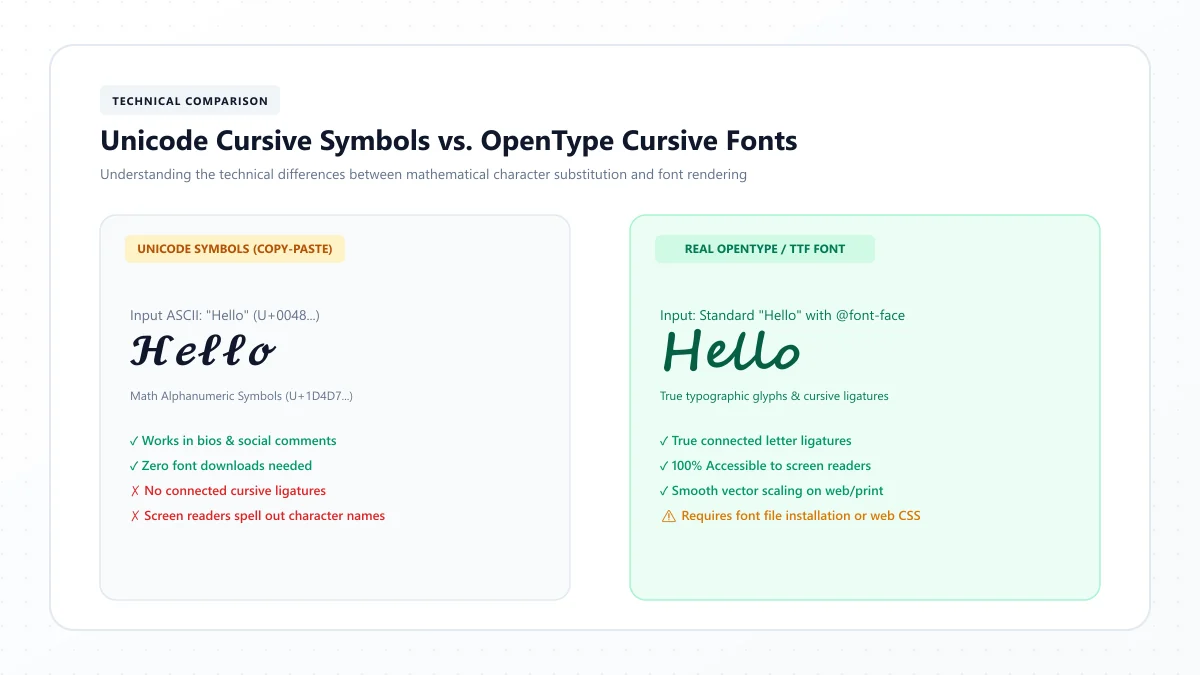
You may have seen websites that turn ordinary text into decorative Unicode cursive characters.
These are useful for social media bios, profile names, and short decorative messages.
However, they aren't the same as actual script font files.
Feature | Cricut-compatible font | Unicode cursive text |
|---|---|---|
Actual font family | Yes | Generally character substitution |
Editable through font controls | Yes | Not as the original Latin lettering |
Designed for vector cutting | Depends on font and preparation | No guarantee |
Can be joined with Design Space shape tools | Yes, when converted to appropriate shapes | Depends on available glyphs and paths |
Useful for social media bios | Font styling usually won't transfer | Often, where supported |
Suitable as a Cricut cutting reference | Yes, after checking cut paths | Not a reliable direct cutting workflow |
Our Cursive Text Generator can help you explore decorative lettering visually.
But for physical Cricut cutting, use actual font files or properly prepared vector designs.
A Unicode text preview should not be mistaken for a ready-to-cut SVG.
Common Cricut Cursive Font Problems and Fixes
Problem: My letters don't connect
Possible cause: The font uses separate letters, or their spacing leaves gaps.
Fix: Check kerning, adjust spacing if necessary, or choose a genuinely connected script.
Problem: Lines cut through overlapping letters
Possible cause: Overlapping shapes weren't merged.
Fix: Inspect whether automatic welding applies, or use Unite or Weld on the relevant objects.
Problem: Thin strokes tear while weeding
Possible cause: The details are too delicate for the chosen size and material.
Fix: Increase the design size, choose a heavier font, or simplify the shapes.
Problem: Small letter interiors are difficult to remove
Possible cause: The enclosed spaces are too narrow.
Fix: Use a larger size or choose more open letterforms.
Problem: Design Space draws double outlines with my pen
Possible cause: You used a regular outlined font for a Draw operation.
Fix: Choose a compatible Writing Style font.
Problem: My installed font doesn't appear
Possible cause: The font hasn't been installed correctly or Design Space hasn't refreshed its font list.
Fix: Confirm installation, remove active filters, and restart the application if needed.
Problem: My sticker design cuts each individual letter
Possible cause: You haven't prepared the artwork as a unified printable layer and cut shape.
Fix: Review the intended Print Then Cut workflow and use Flatten where appropriate.
Problem: The font is hard to read on a curved object
Possible cause: The design is too wide, too small, or has awkward spacing for the surface.
Fix: Reconsider the size, word layout, and placement before cutting.
10 Easy DIY Cricut Projects Using Cursive Fonts
Want to put your favorite fonts into practice?
Try these beginner-friendly ideas.
1. Personalized coffee mug
Use a short name or word in Satisfy or Pacifico.
2. Wooden welcome sign
Use a bold script for the word Welcome and a clean supporting font for additional text.
3. Custom water bottle decal
Try a short name in Courgette or Damion.
4. Birthday cake topper
Use a strong connected script with an appropriate structural design.
A cake topper needs physical support, so decorative lettering alone may not be sufficient.
5. Bridesmaid gift box
Use a larger name in Great Vibes or Allura.
6. Inspirational T-shirt
Try Dream Big or Be Kind in a bolder script such as Kaushan Script.
7. Pantry jar labels
Use short words in Cookie or Courgette.
8. Holiday gift tags
Try Dancing Script for a friendly handmade appearance.
9. Nursery wall decor
Use a child's name in a readable, appropriately sized script.
10. Greeting card lettering
Use a Cricut Writing Style font with compatible pens for a handwritten effect.
Each project is an opportunity to learn how font weight, material, size, and cutting operations work together.
A Simple Test-Cut Checklist
Before making your final project, review the design.
Check | What to confirm |
|---|---|
Text | Spelling and capitalization are correct |
Font | Suitable for the intended material |
Size | Fine details aren't excessively small |
Letter joins | Overlapping paths are prepared correctly |
Interiors | Open spaces in letters are preserved |
Operation | Cut, Draw, or Print Then Cut is correctly selected |
Positioning | The layout is appropriate for the blank |
Material | The correct settings and tools are selected |
Preview | No unexpected internal cut lines |
Test | Sample cuts and weeds successfully |
A successful test cut using the actual material provides more useful information than a font review alone.
Frequently Asked Questions About Cursive Fonts for Cricut
What is the best cursive font for Cricut?
Pacifico, Lobster, Courgette, Satisfy, and Yellowtail are useful starting points. The best font depends on the words, material, size, and intended operation.
Which script fonts are easiest to weed?
Medium-to-bold scripts with open interior spaces are often easier to weed than delicate, highly ornamental fonts. Pacifico and Courgette are worth testing for many beginner projects.
How do I make cursive letters connect in Cricut?
Start with a connected script font and check the kerning. If letters overlap and need merging, use Design Space's appropriate Unite or Weld tools. Preview the cut paths before making the project.
Do Cricut script fonts weld automatically?
Many kerned fonts in Design Space automatically weld touching or overlapping characters in the project preview while keeping the canvas text editable. Other situations may require manual preparation.
What is the difference between Weld and Unite in Cricut?
Weld permanently merges overlapping shapes into one cut shape. Unite combines them while retaining editable underlying objects.
Can I use Google Fonts with Cricut?
Many Google Fonts can be downloaded and installed as system fonts for use in Cricut Design Space. Their suitability for cutting still depends on the typeface and the intended project.
Are there free cursive fonts for Cricut?
Yes. You can explore free script font families from sources such as Google Fonts, as well as applicable free options in Design Space. Always check the current licensing terms.
Can I use Canva fonts in Cricut?
Not automatically. Choosing a font in Canva doesn't mean that font file is installed or licensed for use in Cricut Design Space. You need an appropriate font installation or a permitted, correctly prepared design export.
Why does Cricut cut between connected letters?
The overlapping letter shapes may not have been combined, or the layout may contain unwanted internal paths. Review the cut preview and prepare the overlapping shapes correctly.
What cursive fonts work best for Cricut shirts?
Bolder scripts such as Pacifico, Lobster, Oleo Script, and Kaushan Script are worth exploring for HTV designs, subject to a successful test cut and transfer.
Can Cricut write in cursive with a pen?
Yes. Select a compatible Writing Style font and the relevant Draw operation. Ordinary cut fonts may create outlined letters instead of single-line writing.
Is a cursive text generator the same as a Cricut font?
No. Copyable Unicode cursive characters aren't the same as installed font families or prepared vector cut paths.
What is the best Cricut font for wedding signs?
Great Vibes, Allura, Alex Brush, and Parisienne offer elegant script directions. Their delicate details may need enlargement or adjustment depending on the sign and material.
How small can I cut cursive letters with Cricut?
There is no universal minimum size that works for every font or material. Small cuts depend on stroke width, interior spaces, blade condition, material, and preparation. Make a test cut at the planned size.
Can I sell products made with downloaded Cricut fonts?
That depends on the font's license and any applicable platform or asset terms. Confirm commercial-use permission before selling finished products.
Final Thoughts: Choose a Cricut Script Font That Works Beyond the Screen
The best cursive fonts for Cricut combine attractive lettering with practical cutting characteristics.
Pacifico, Lobster, and Courgette are useful options to explore for bold vinyl projects. Satisfy, Damion, and Yellowtail offer relaxed handwritten appeal. Great Vibes, Allura, and Alex Brush bring elegance to larger decorative crafts.
But remember that the font is only one part of the process.
Material, design size, letter spacing, cut paths, and weeding technique all affect the finished result.
Start with a font that suits your project, prepare the connections correctly in Design Space, and make a test cut before using your final material.
For copyable decorative text on social media, you can also explore our Cursive Text Generator. For physical cutting projects, use a genuine script font or properly prepared vector artwork.
References and further reading
These links are provided for further reading. External websites and information may change.