Have you ever visited an Instagram profile and noticed a beautifully written name, an elegant cursive bio, or a stylish caption that looks nothing like Instagram's regular text?
Maybe it was a delicate handwritten phrase, a bold script name, or a simple aesthetic quote surrounded by tiny hearts.
Those details can make a profile feel more personal. And the best part? You don't need to download a special keyboard, pay for a font app, or redesign your entire Instagram account.
You can create cursive fonts on Instagram by converting ordinary text into copyable Unicode script characters and pasting them into your bio, display name, captions, or comments.
In this guide, you'll learn exactly how to get cursive text on Instagram, where it works, which styles look best, and how to fix common formatting problems.
You'll also find beautiful bio ideas, styled name examples, and captions you can copy or customize for your own profile.
How to Get Cursive Fonts on Instagram in 3 Easy Steps
The easiest way to add cursive text to Instagram is to use a cursive text generator.
Here's how:
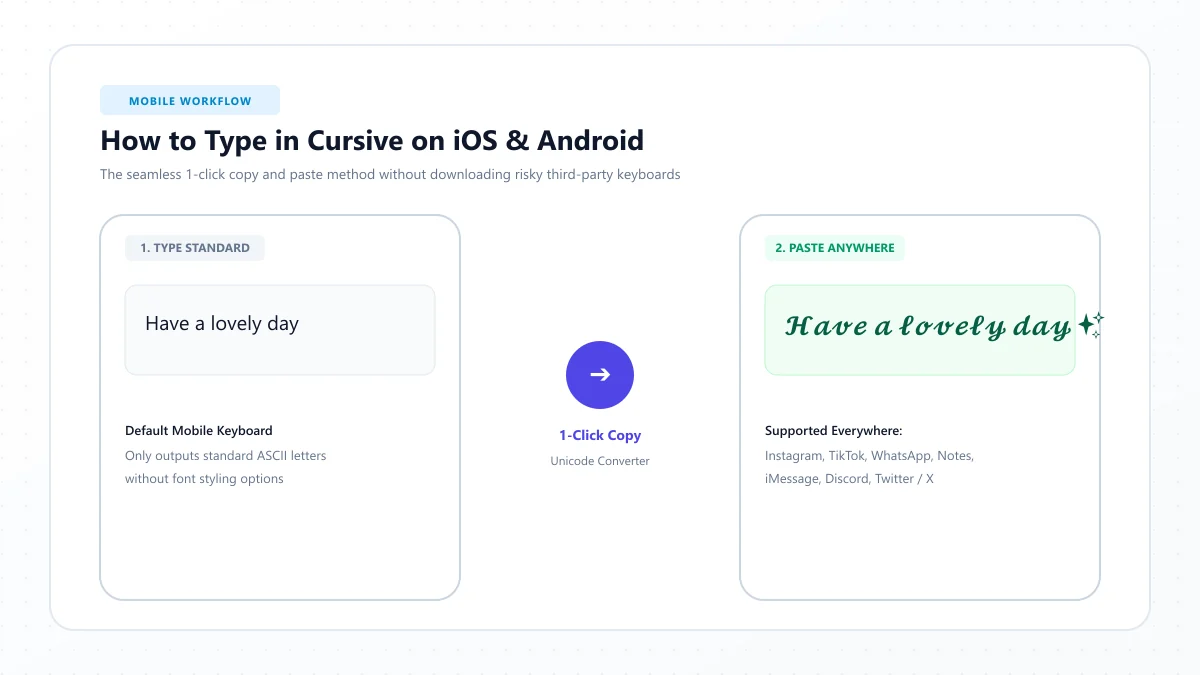
- Open the free Instagram Cursive Fonts Generator.
- Type your name, bio phrase, or caption, choose a cursive style, and copy the converted text.
- Open Instagram, paste it into your preferred text field, and save your changes.
For example:
Normal text: Dream Big
Cursive text: 𝒟𝓇ℯ𝒶𝓂 ℬ𝒾ℊ
Bold cursive: 𝓓𝓻𝓮𝓪𝓶 𝓑𝓲𝓰
The styled characters can be copied like ordinary text, but their appearance depends on the device and application displaying them.
Quick tip: Try styling a short phrase instead of your entire bio. This keeps important information easier to read.
What Are Instagram Cursive Fonts?
Instagram cursive fonts are decorative text styles that resemble handwritten or calligraphic letters.
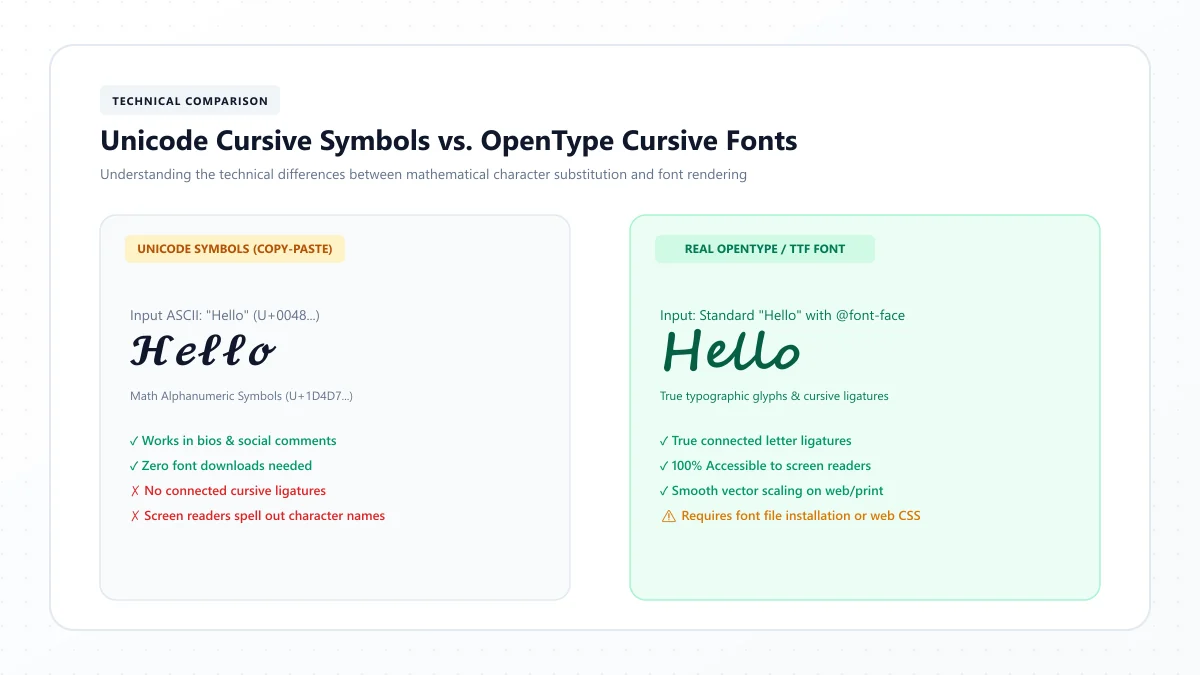
However, there's an important technical detail: most cursive text you copy into an Instagram bio is not a traditional font.
It's made from special Unicode characters.
A normal font changes the appearance of an existing character. Unicode text generators instead substitute characters that already have a stylized appearance.
For example:
Normal text | Decorative version |
|---|---|
Love | 𝓛𝓸𝓿𝓮 |
Dream | 𝒟𝓇ℯ𝒶𝓂 |
Hello | 𝓗𝓮𝓵𝓵𝓸 |
Smile | 𝓢𝓶𝓲𝓵𝓮 |
Angel | 𝒜𝓃ℊℯ𝓁 |
These decorative characters can often be pasted into Instagram fields that accept Unicode text.
You don't need to install an actual font file on your phone to use them.
Does Instagram have a built-in cursive font?
For regular profile bios and post captions, Instagram doesn't provide a traditional font-selection menu that lets you change all text into a custom cursive typeface.
Its Story and Reel editing interfaces offer their own text-design features, but those are different from the Unicode text used in profile bios.
That's why copy-and-paste font generators are popular for customizing Instagram profiles.
How to Add Cursive Fonts to Your Instagram Bio
Your Instagram bio is one of the first places people look when visiting your profile.
It's also one of the easiest areas to personalize with a small amount of decorative text.
Step 1: Write your bio text
Decide which part of your bio you want to style.
For example:
Dreaming in color
You don't need to convert every line. A short headline or personal motto can be enough.
Step 2: Generate a cursive version
Visit our Instagram Cursive Fonts Generator.
Enter your phrase and compare the available styles.
Choose a readable cursive version rather than the most complicated option.
Step 3: Copy the text
Use the generator's Copy button.
This copies the Unicode characters directly to your clipboard.
Step 4: Open Instagram
In the Instagram app, go to your profile and select Edit profile.
Open the Bio field.
Paste your copied cursive phrase into the position where you want it to appear.
Step 5: Save and preview
Save your profile changes and reopen your profile.
Check that the text displays correctly and doesn't crowd the other information.
For a business or creator profile, keep contact details, profession, and important calls to action in ordinary text.
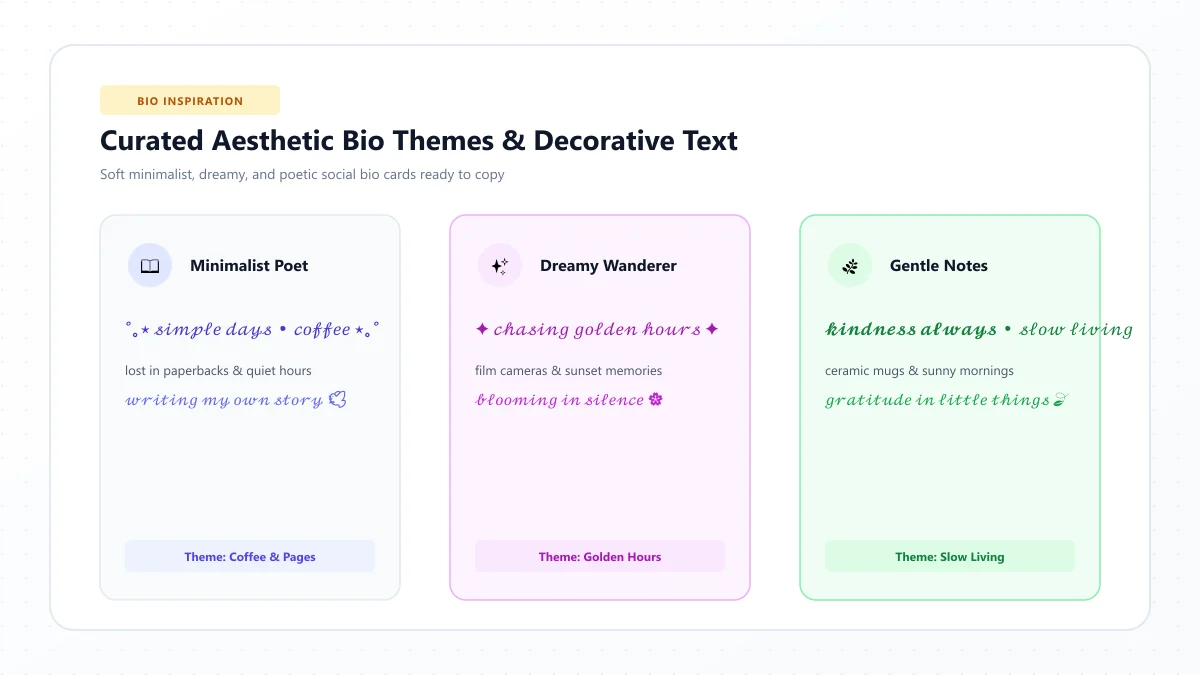
15 Beautiful Cursive Instagram Bio Ideas
Need inspiration for your profile?
Here are 15 ideas organized by mood and personality. They're short enough to adapt into a larger bio with regular text, emojis, or contact information.
Cute and soft cursive bio ideas
1. ♡ 𝓢𝓽𝓪𝔂 𝓢𝔀𝓮𝓮𝓽 ♡
2. ✨ 𝓓𝓻𝓮𝓪𝓶 𝓑𝓲𝓰 ✨
3. 🌸 𝓙𝓾𝓼𝓽 𝓢𝓶𝓲𝓵𝓮 🌸
4. ♡ 𝓟𝓾𝓻𝓮 𝓛𝓸𝓿𝓮 ♡
5. 🦋 𝓕𝓻𝓮𝓮 𝓢𝓹𝓲𝓻𝓲𝓽 🦋
These work well as short decorative lines for personal profiles.
Elegant and minimalist bio ideas
6. 𝒮𝒾𝓂𝓅𝓁ℯ ℒ𝒾𝒻ℯ
7. 𝒞𝒽ℴℴ𝓈ℯ 𝒥ℴ𝓎
8. 𝒮ℴ𝒻𝓉 ℳℴ𝓂ℯ𝓃𝓉𝓈
9. 𝒟𝓇ℯ𝒶𝓂 & 𝒟ℴ
10. 𝒲𝒾𝓉𝒽 ℒℴ𝓋ℯ
For a minimalist look, use one decorative phrase and avoid excessive symbols.
Confident and motivational bio ideas
11. 𝓑𝓮 𝓨𝓸𝓾𝓻𝓼𝓮𝓵𝓯
12. 𝓚𝓮𝓮𝓹 𝓖𝓸𝓲𝓷𝓰
13. 𝓜𝓪𝓴𝓮 𝓘𝓽 𝓗𝓪𝓹𝓹𝓮𝓷
14. 𝓑𝓮 𝓑𝓻𝓪𝓿𝓮
15. 𝓢𝓱𝓲𝓷𝓮 𝓑𝓻𝓲𝓰𝓱𝓽
You can use these as inspiration for personal, fitness, lifestyle, or creator profiles.
Remember that decorative lettering can be difficult for some screen readers to interpret. Keep any essential details available in ordinary text.
How to Make Your Instagram Name Cursive
Your Instagram profile contains two different name-related fields:
Display name: The name shown on your profile.
Username: Your unique @handle.
These fields do not have identical formatting rules.
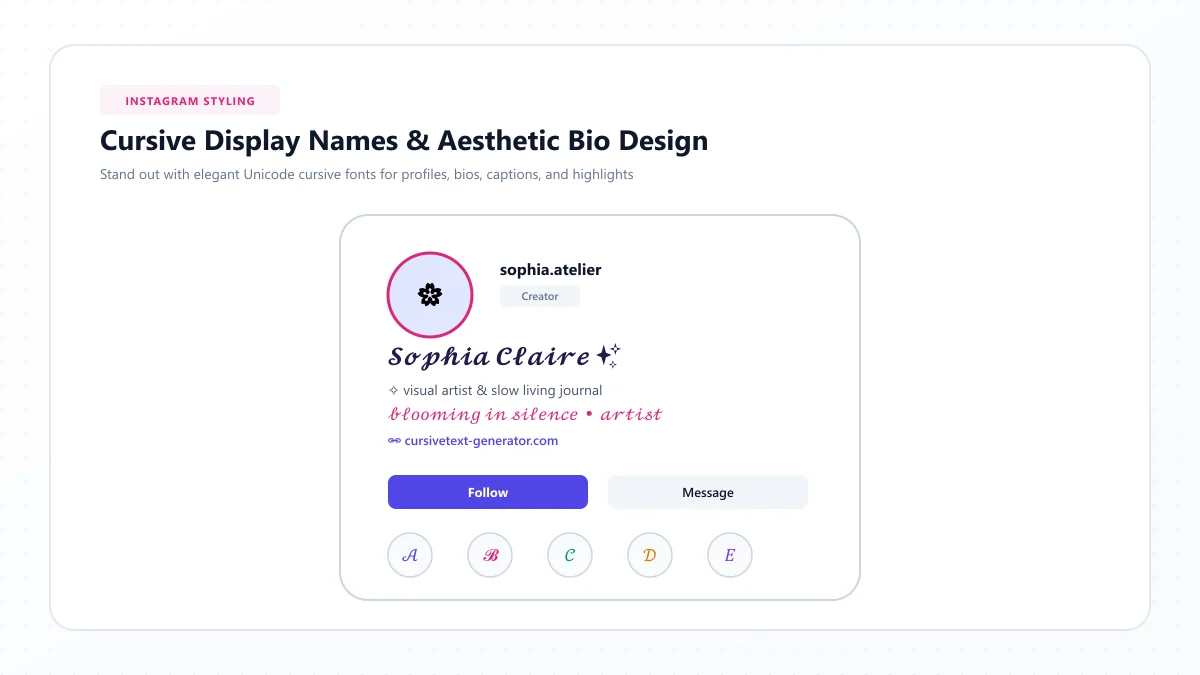
Changing your Instagram display name
You can try a decorative Unicode style in the display-name field.
For example:
Normal: Sophia Miller
Cursive: 𝓢𝓸𝓹𝓱𝓲𝓪 𝓜𝓲𝓵𝓵𝓮𝓻
Another example:
Normal: Emily Rose
Cursive: 𝓔𝓶𝓲𝓵𝔂 𝓡𝓸𝓼𝓮
To add a decorative display name:
- Generate the styled name.
- Copy the result.
- Open Instagram and select Edit profile.
- Paste the text into the Name field.
- Save and check the result.
If Instagram rejects the entry or the text looks incorrect, try a simpler version.
Can your Instagram username be cursive?
Your @username is different from your display name.
Instagram usernames use restricted characters and generally do not accept decorative Unicode script alphabets.
For example, you can usually use a handle such as:
@sophia_miller
But you should not expect a mathematical cursive version of that username to be accepted as an Instagram handle.
Best practice: Keep your username readable and easy to type. Use the display name or bio for decorative text.
10 Beautiful Cursive Instagram Name Ideas
If you like the look of handwritten names, these examples can help you choose a style.
Normal name | Cursive example |
|---|---|
Sophia | 𝓢𝓸𝓹𝓱𝓲𝓪 |
Emily | 𝓔𝓶𝓲𝓵𝔂 |
Olivia | 𝓞𝓵𝓲𝓿𝓲𝓪 |
Isabella | 𝓘𝓼𝓪𝓫𝓮𝓵𝓵𝓪 |
Amelia | 𝓐𝓶𝓮𝓵𝓲𝓪 |
Charlotte | 𝓒𝓱𝓪𝓻𝓵𝓸𝓽𝓽𝓮 |
Lily | 𝓛𝓲𝓵𝔂 |
Grace | 𝓖𝓻𝓪𝓬𝓮 |
Mia | 𝓜𝓲𝓪 |
Chloe | 𝓒𝓱𝓵𝓸𝓮 |
You can create your own version using the same Instagram cursive generator.
For personal branding or professional profiles, consider keeping your main searchable name in regular letters and adding decorative script only to a secondary phrase.
How to Use Cursive Fonts in Instagram Captions
Instagram captions are another place where decorative text can be useful.
You might use cursive lettering for a short opening phrase, a quotation, or an occasional decorative line.
However, writing an entire long caption in heavily stylized characters can make it harder to read.
Step-by-step instructions
- Write your caption in ordinary text.
- Choose a short phrase you want to emphasize.
- Generate a cursive version of that phrase.
- Copy the styled text.
- Open Instagram and create or edit your post.
- Paste the phrase into the caption field.
- Complete the rest of the caption in normal text.
For example:
Decorative opening:
𝓢𝓶𝓪𝓵𝓵 𝓜𝓸𝓶𝓮𝓷𝓽𝓼 ✨
Regular caption:
Some of my favorite memories come from the simplest days. A little sunshine, good company, and time to enjoy the moment.
This approach lets the decorative opening stand out without making the entire caption difficult to follow.
15 Cursive Instagram Caption Ideas
These examples work as short captions or as decorative first lines followed by ordinary text.
Selfie and lifestyle captions
1. 𝓙𝓾𝓼𝓽 𝓜𝓮 ♡
2. 𝓕𝓮𝓮𝓵𝓲𝓷𝓰 𝓖𝓸𝓸𝓭 ✨
3. 𝓢𝓶𝓲𝓵𝓮 𝓜𝓸𝓻𝓮 🌸
4. 𝓖𝓸𝓸𝓭 𝓥𝓲𝓫𝓮𝓼
5. 𝓜𝔂 𝓜𝓸𝓶𝓮𝓷𝓽
Love and friendship captions
6. 𝓕𝓸𝓻𝓮𝓿𝓮𝓻 ♡
7. 𝓦𝓲𝓽𝓱 𝓛𝓸𝓿𝓮
8. 𝓜𝔂 𝓟𝓮𝓸𝓹𝓵𝓮
9. 𝓛𝓸𝓿𝓮 & 𝓛𝓪𝓾𝓰𝓱𝓽𝓮𝓻
10. 𝓢𝔀𝓮𝓮𝓽 𝓜𝓮𝓶𝓸𝓻𝓲𝓮𝓼
Travel and aesthetic captions
11. 𝓦𝓪𝓷𝓭𝓮𝓻 𝓜𝓸𝓻𝓮
12. 𝓢𝓾𝓷𝓼𝓮𝓽 𝓓𝓻𝓮𝓪𝓶𝓼
13. 𝓞𝓬𝓮𝓪𝓷 𝓥𝓲𝓫𝓮𝓼
14. 𝓖𝓸𝓵𝓭𝓮𝓷 𝓗𝓸𝓾𝓻
15. 𝓛𝓸𝓼𝓽 𝓲𝓷 𝓟𝓪𝓻𝓪𝓭𝓲𝓼𝓮
If the characters don't display correctly on your device, generate the phrase again using a different script style.
Which Cursive Font Style Looks Best on Instagram?
Different cursive styles create different visual impressions.
The best choice depends on your content, personal taste, and how easy the result is to read.
1. Classic cursive
Example: 𝒮𝓂𝒾𝓁ℯ
Classic script can create a delicate, elegant appearance.
It's suitable for short personal mottos, soft aesthetic themes, and decorative headings.
2. Bold cursive
Example: 𝓢𝓶𝓲𝓵𝓮
Bold cursive has a more prominent appearance.
It can work for a short heading or display phrase, but use it sparingly if your bio already contains emojis and other decorative elements.
3. Italic text
Example: 𝑆𝑚𝑖𝑙𝑒
Italic mathematical characters have a cleaner, less ornate appearance than many script characters.
They may be more visually restrained, although they still carry Unicode accessibility considerations.
4. Cursive with hearts
Example: ♡ 𝓢𝓶𝓲𝓵𝓮 ♡
Adding one or two symbols can create a soft, personal appearance.
Avoid placing too many unrelated symbols around the text.
5. Decorative floral script
Example: 🌸 𝓢𝓶𝓲𝓵𝓮 🌸
This combines cursive lettering with a floral theme.
It may suit lifestyle, craft, or personal accounts with a playful visual identity.
6. Minimalist script
Example: 𝒮𝓂𝒾𝓁ℯ
A short script word without emojis can work well on a simple profile.
For many accounts, restrained formatting is easier to read than a heavily decorated bio.
Cursive Instagram Bio Ideas for Different Account Types
Your Instagram bio should communicate who you are and what visitors can expect.
Decorative text works best when it supports that message instead of replacing it.
For personal accounts
A personal profile can use a short cursive motto followed by ordinary text.
Example:
𝓢𝓽𝓪𝔂 𝓖𝓸𝓵𝓭𝓮𝓷 ✨
Coffee, sunsets & everyday moments
For fashion and beauty creators
Try a decorative first line with clear information beneath it.
Example:
𝒮𝓉𝓎𝓁ℯ & 𝒢𝓇𝒶𝒸ℯ
Fashion • Beauty • Lifestyle
Collaborations: email@example.com
For photography accounts
Use a styled phrase to create atmosphere while keeping the profession obvious.
Example:
𝓒𝓪𝓹𝓽𝓾𝓻𝓮 𝓜𝓸𝓶𝓮𝓷𝓽𝓼 📷
Portrait & lifestyle photographer
Bookings: email@example.com
For small businesses
Businesses should prioritize discoverability and contact information.
Example:
Willow Studio | Handmade Gifts
♡ 𝓜𝓪𝓭𝓮 𝓦𝓲𝓽𝓱 𝓛𝓸𝓿𝓮 ♡
Personalized gifts and keepsakes
Shop through the link below
For fitness creators
Example:
𝓢𝓽𝓪𝔂 𝓢𝓽𝓻𝓸𝓷𝓰
Fitness • Daily motivation
Simple habits, steady progress
These examples show how decorative cursive can add personality while regular text carries the essential information.
How to Get Cursive Fonts on Instagram Using iPhone
You don't need to install a custom keyboard to paste Unicode cursive text on an iPhone.
- Open Safari or another browser.
- Visit the Instagram Cursive Fonts Generator.
- Enter the text you want to style.
- Copy your preferred version.
- Open Instagram.
- Paste the text into your bio, display name, or caption.
- Save and preview it.
The text is copied as Unicode characters, so installing a separate font file isn't necessary.
If certain letters look unusual, choose a simpler style and check the result again.
How to Get Cursive Fonts on Instagram Using Android
The process on Android is similar.
- Open Chrome or your preferred browser.
- Visit the cursive text generator.
- Type your phrase.
- Choose a script style.
- Copy the converted text.
- Open Instagram.
- Paste into the relevant field.
- Save and verify the appearance.
Different Android devices may use different system fonts and character fallback behavior.
That means a decorative phrase can look slightly different between devices.
If your text appears as empty squares, question-mark boxes, or unexpected symbols, try another Unicode style.
Can You Use Cursive Fonts in Instagram Stories and Reels?
Yes, but it's helpful to understand the difference between two kinds of text.
Unicode text in a Story or Reel
You may be able to paste compatible Unicode script characters into a text element in Instagram's editor.
The result depends on the editor's formatting and character support.
Instagram's built-in text styles
Stories and Reels also provide native text-formatting options.
These let you change how text looks within the visual content itself.
The available options can vary as Instagram updates its editing interface.
Which option should you choose?
For a bio or profile display name, Unicode copy-and-paste text is a practical option.
For text placed over photos or videos, Instagram's native text editor may be more flexible and readable.
If you want to design an image with precise typography, you can also create a graphic using an appropriate design tool rather than relying on Unicode characters.
Why Are My Instagram Cursive Fonts Not Working?
Sometimes cursive text looks correct in the generator but changes after you paste it into Instagram.
Here are the most common reasons.
Problem 1: Cursive letters appear as boxes
Some devices or software environments may not contain glyphs for particular Unicode characters.
Solution: Try a simpler script style and check whether it displays correctly.
Problem 2: Instagram rejects the text
You may be trying to paste decorative letters into a field with restricted characters, such as your @username.
Solution: Use the Bio or Name field instead, while respecting Instagram's current field rules.
Problem 3: Some letters look different
Unicode script alphabets contain characters with varying visual appearances, and platform font rendering can affect the result.
Solution: Preview the entire phrase rather than assuming every letter will have identical styling.
Problem 4: The text is difficult to read
A long line of ornate characters can look crowded, especially on a smaller screen.
Solution: Use decorative script for one or two short phrases and write the rest in normal text.
Problem 5: The bio is too long
Instagram limits the amount of text you can enter in a profile bio.
Solution: Shorten the wording, reduce decorative characters, and check the character counter in the editor.
Problem 6: The name is harder to find
Decorative mathematical characters are not identical to ordinary Latin letters.
Solution: Keep important searchable words, brand names, or professional descriptions in standard text.
Are Cursive Fonts on Instagram Safe to Use?
Unicode cursive characters are ordinary text characters, not executable software.
Copying decorative Unicode text is not the same as installing a third-party application or granting account permissions.
However, use a reputable generator and avoid services that demand your Instagram password just to change the appearance of text.
You shouldn't need to disclose login credentials to generate a cursive bio.
Also remember that technically valid characters don't guarantee a good user experience.
Some styled symbols can interfere with accessibility, searching, translating, and displaying text on certain devices.
Do Instagram Cursive Fonts Affect Accessibility or Search?
This is one of the most important things to consider before decorating your entire profile.
Unicode script characters were not primarily designed to replace ordinary prose in social media bios.
They may look like familiar Latin letters, but screen-reading software can interpret them differently.
For example, a screen reader might announce the technical character names rather than reading a decorative word naturally.
This creates unnecessary difficulty for people using assistive technology.
Accessibility tips
Keep your name, profession, essential business details, and important instructions in standard text.
Use decorative characters only when they provide a nonessential visual accent.
If you're using a personal account, experiment with a short script phrase instead of converting the whole biography.
For professional or business accounts, preserving readability is particularly important.
Instagram search considerations
Decorative Unicode letters are different characters from regular letters.
A stylized name may not be recognized or matched by search functions exactly as its ordinary spelling would be.
Instagram's precise search behavior can change, so don't assume that every decorative name will be discovered the same way as its plain-text version.
For discoverability, keeping a normal-text name or relevant profile description is a sensible choice.
10 Tips for Creating an Attractive Cursive Instagram Profile
A beautiful profile isn't necessarily one with the most unusual fonts.
Use the following ideas to make decorative text feel intentional.
- Choose one main cursive style. Mixing many unrelated styles can make your profile look cluttered.
- Use script for short highlights. A name, personal motto, or short title is often enough.
- Keep important information readable. Use ordinary text for contact details, professions, and essential instructions.
- Avoid excessive symbols. A heart or sparkle can complement cursive without overwhelming it.
- Preview your profile on mobile. Decorative characters may appear differently depending on screen size.
- Don't stylize hashtags unnecessarily. Use ordinary characters for hashtags you expect people to find.
- Keep captions balanced. A decorative opening followed by readable text is usually more practical than a fully scripted paragraph.
- Choose a style that matches your content. Delicate script suits some themes, while a simpler presentation works better for others.
- Test character compatibility. If a phrase contains unsupported symbols, regenerate it using another style.
- Update your styling when needed. Your profile can evolve as your content, interests, or branding change.
Frequently Asked Questions About Instagram Cursive Fonts
How do I get cursive fonts on Instagram?
Open a cursive text generator, type your phrase, select a script style, and copy the result. Paste it into your Instagram bio, display name, caption, or another compatible text field.
Can I write my Instagram bio in cursive?
Yes, many Unicode script characters can be pasted into Instagram bios. For accessibility and readability, it's better to use decorative text selectively rather than converting every important detail.
How do I change my Instagram name to cursive?
Generate a cursive version of your name, copy it, and paste it into the display-name field under Edit profile. Your @username has stricter character restrictions.
Are Instagram cursive fonts free?
Yes. You can use a free online cursive text generator to create and copy script-style Unicode text without buying a font or installing a special keyboard.
Can I use cursive fonts in Instagram captions?
Yes. You can paste compatible Unicode cursive characters into captions. They work particularly well as short decorative headings, although normal text is generally more accessible for the rest of a caption.
Can I use cursive fonts on Instagram Stories?
You can try pasting Unicode cursive characters into Story text. Instagram also has native text-formatting options for visual content, which may be more suitable for designing Story graphics.
Why won't Instagram accept my cursive username?
Instagram usernames generally allow a restricted set of characters. Mathematical cursive Unicode letters are different from ordinary Latin letters, so they are not suitable for standard @handles.
Do cursive Instagram fonts work on iPhone and Android?
Many Unicode script characters display on modern iPhone and Android devices. However, exact rendering depends on the character, software, and installed font support, so compatibility isn't guaranteed for every style.
Do I need a special keyboard for Instagram cursive text?
No. A browser-based cursive generator can convert normal text into Unicode script that you copy and paste through your device's usual clipboard.
Will cursive fonts help my Instagram account grow?
Decorative text can help express your visual style, but there is no reliable basis for claiming that cursive text alone increases Instagram reach, followers, or engagement. Clear branding, useful content, and audience relevance matter more.
Are cursive fonts bad for Instagram SEO?
Using decorative characters for important searchable words may make exact text matching less reliable. Keep your main name, business category, and important descriptive words in ordinary text.
What is the best cursive font for Instagram?
There isn't one best choice for everyone. Classic script looks delicate, bold cursive feels more prominent, and restrained italic styles can look simpler. Choose a readable style that complements your profile.
Final Thoughts: Make Your Instagram Profile Beautiful and Readable
Cursive fonts can be a fun way to give your Instagram profile more personality.
Whether you want a delicate display name, a cute bio phrase, or a stylish caption, Unicode cursive text makes it possible to experiment without installing special fonts.
The process is simple: type your text, choose a style, copy it, and paste it into Instagram.
Just remember that decorative lettering works best when it doesn't hide important information or make your profile difficult to read.
Start with one short phrase, preview it on your device, and build a style that feels like you.
Ready to create your own Instagram cursive text? Try our free Instagram Cursive Fonts Generator to explore different script styles, preview your profile text, and copy your favorite design.
References and further reading
These links are provided for further reading. External websites and information may change.