Ever come across a TikTok profile with a beautiful cursive display name, a bold aesthetic bio, or a caption that looks completely different from regular text?
Maybe you saw something like 𝓓𝓻𝓮𝓪𝓶𝓮𝓻, 𝗖𝗿𝗲𝗮𝘁𝗼𝗿, or ✧ 𝒮𝓉𝒶𝓎 𝒢ℴ𝓁𝒹ℯ𝓃 ✧ and wondered how to create the same look.
You don't need to install a special keyboard or download an expensive font package to try it.
Fancy fonts on TikTok are commonly created with Unicode characters that resemble different typefaces. You can generate these characters online, copy them, and paste them into compatible TikTok fields.
The key is knowing where they work.
TikTok treats your display name, @username, bio, video caption and on-screen video text differently. A style that works in your bio might not be allowed in your username.
In this guide, you'll learn how to use fancy fonts on TikTok step by step, choose readable styles, customize your profile, create attractive captions, and troubleshoot common problems.
You'll also find copyable display-name ideas, aesthetic bio templates and caption examples for different types of creators.
How to Get Fancy Fonts on TikTok in 3 Easy Steps
The quickest way to create stylish TikTok text is with an online font generator.
- Open the free TikTok Cursive Fonts Generator.
- Enter your name, bio phrase or caption, choose a fancy text style, and copy the result.
- Open TikTok, paste the text into a compatible field, save your changes, and preview the result.
For example:
Normal text: Dream Creator
Cursive: 𝓓𝓻𝓮𝓪𝓶 𝓒𝓻𝓮𝓪𝓽𝓸𝓻
Bold: 𝗗𝗿𝗲𝗮𝗺 𝗖𝗿𝗲𝗮𝘁𝗼𝗿
Italic: 𝘋𝘳𝘦𝘢𝘮 𝘊𝘳𝘦𝘢𝘵𝘰𝘳
Small caps-style: ᴅʀᴇᴀᴍ ᴄʀᴇᴀᴛᴏʀ
You can use these styles for short decorative phrases where TikTok accepts the characters.
Your display name and @username are different fields. Decorative script may work in your display name, but TikTok restricts the characters allowed in usernames.
What Are TikTok Fancy Fonts?
TikTok fancy fonts are decorative text styles made from special Unicode characters that look like bold, cursive, italic, gothic or other unusual lettering.
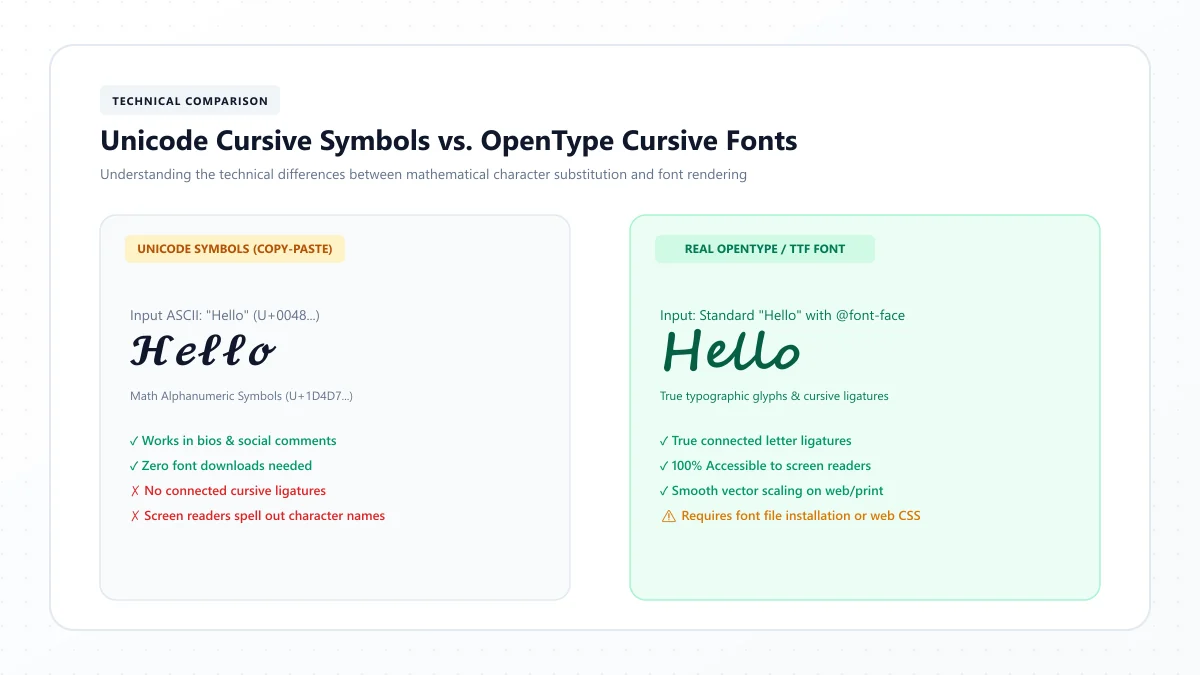
Despite the name, most copy-and-paste font generators aren't actually installing or changing a typeface.
Instead, they replace ordinary characters with different Unicode symbols.
For example:
Normal: Hello
Bold: 𝗛𝗲𝗹𝗹𝗼
Cursive: 𝓗𝓮𝓵𝓵𝓸
Gothic: 𝕳𝖊𝖑𝖑𝖔
These characters can be copied and pasted as text, although compatibility varies by field, device and software.
Fancy Unicode text vs. real fonts
A real font changes how ordinary letters are displayed in an application that supports font formatting.
Unicode fancy text works differently: the styled characters themselves are distinct from ordinary Latin letters.
This is why a fancy text generator can create copyable script without installing a font on your phone.
It also explains why decorative text can behave unexpectedly when used for searching, hashtags, accessibility or account identifiers.
Where Can You Use Fancy Fonts on TikTok?
TikTok has several different places where text appears.
Here's what you need to know before styling your account.
TikTok field | Fancy Unicode text | Recommendation |
|---|---|---|
Display name / nickname | Often supported | Suitable for a short decorative name |
Profile bio | Often supported | Use one styled phrase and readable details |
Video description / caption | Often supported | Use decorative text selectively |
Comments | Often supported | Keep important messages readable |
@username | Restricted characters | Use ordinary allowed characters |
On-video text | Native font controls available | Prefer TikTok's built-in text editor when possible |
Hashtags | Styled letters can disrupt matching | Use normal text for searchable hashtags |
Whether a particular Unicode style can be saved depends on TikTok's current validation rules.
The safest approach is to test the final result directly in the intended field.
How to Change Your TikTok Display Name With Fancy Fonts
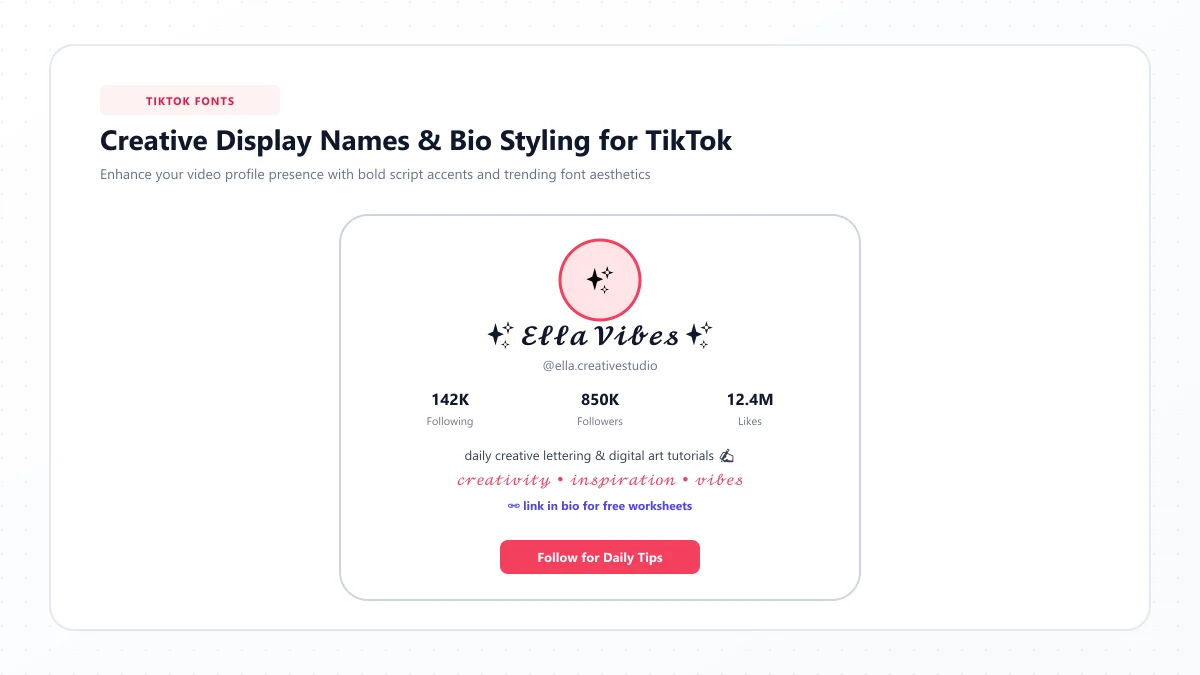
Your display name, sometimes called your nickname, is the name shown on your TikTok profile and in various areas of the app.
It's separate from your unique @username.
This distinction matters because you may be able to use decorative Unicode characters in the nickname while the username has stricter restrictions.
Step 1: Choose your display name
Start with a short, recognizable name.
For example:
Emily Rose
You can also add a descriptive word related to your content, such as Artist, Creator or Photographer.
Step 2: Generate a fancy version
Open the TikTok Cursive Fonts Generator.
Enter your chosen name and compare the available styles.
For example:
Emily Rose → 𝓔𝓶𝓲𝓵𝔂 𝓡𝓸𝓼𝓮
Step 3: Copy the styled name
Tap the generator's Copy button.
Make sure you've selected the complete name rather than only one word.
Step 4: Open TikTok
Open the TikTok app and go to your profile.
Select Edit profile, then open the Name field.
Step 5: Paste and save
Paste the fancy text into the Name field and save your changes.
Check that the full name displays correctly.
TikTok's published nickname rules include a 30-character limit and a restriction on how frequently you can change it. Check the current in-app requirements before making repeated changes.
Should you use cursive for your whole display name?
That depends on your account.
For a personal account, a decorative name might fit your style.
For a business or creator account, keeping your recognizable name in ordinary letters may make it easier for visitors to identify and search for you.
A useful alternative is adding just one decorative symbol or keeping the fancy styling in your bio.
15 Fancy TikTok Display Name Ideas to Copy
Here are some example names and decorative labels you can adapt.
Cursive name ideas
- 𝓔𝓶𝓲𝓵𝔂 𝓡𝓸𝓼𝓮
- 𝓢𝓸𝓹𝓱𝓲𝓪
- 𝓛𝓲𝓵𝔂
- 𝓜𝓲𝓪
- 𝓞𝓵𝓲𝓿𝓲𝓪
Bold display names
- 𝗗𝗮𝗶𝗹𝘆 𝗩𝗹𝗼𝗴𝘀
- 𝗖𝗿𝗲𝗮𝘁𝗶𝘃𝗲 𝗟𝗶𝗳𝗲
- 𝗦𝘁𝘂𝗱𝘆 𝗡𝗼𝘁𝗲𝘀
- 𝗔𝗿𝘁 𝗦𝘁𝘂𝗱𝗶𝗼
- 𝗦𝘁𝘆𝗹𝗲 𝗗𝗶𝗮𝗿𝘆
Aesthetic display names
- ✧ 𝓓𝓻𝓮𝓪𝓶𝓮𝓻
- ♡ 𝓢𝓸𝓯𝓽 𝓥𝓲𝓫𝓮𝓼
- ☾ 𝓜𝓸𝓸𝓷𝓵𝓲𝓰𝓱𝓽
- ✿ 𝓕𝓵𝓸𝔀𝓮𝓻 𝓒𝓱𝓲𝓵𝓭
- ☆ 𝓢𝓽𝓪𝓻𝓵𝓲𝓰𝓱𝓽
These are examples, not guaranteed accepted display names. Shorten them if your selected characters or symbols exceed TikTok's field limits.
Can You Use Fancy Fonts in Your TikTok Username?
Your TikTok username is the unique @handle linked to your account.
For example:
@emilyrose.vlog
TikTok restricts usernames to letters, numbers, underscores and periods. A period cannot be the final character.
This means a decorative script handle such as @𝓔𝓶𝓲𝓵𝔂 should not be expected to work as a username.
Display name vs. username
Display name | Username |
|---|---|
Public nickname | Unique @handle |
Can show decorative Unicode where accepted | Uses restricted characters |
Can include spaces where allowed | No ordinary spaces |
Does not define your profile URL | Forms part of your profile URL |
Used for profile presentation | Used for identity, links and mentions |
For a distinctive but usable handle, combine ordinary letters with allowed punctuation.
Examples:
@emilyrose.vlog
@the.art.diary
@softstyle_daily
Keep your username easy to type, mention and remember.
Changing your username can also change your profile link, so avoid unnecessary changes simply to follow a temporary font trend.
How to Add Fancy Fonts to Your TikTok Bio
Your TikTok bio is a short introduction to your content and personality.
Because the space is limited, a small amount of decorative text often works better than a completely stylized paragraph.
Step 1: Write your bio in ordinary text
For example:
Daily vlogs and cozy moments
Step 2: Choose a short phrase to decorate
You might select:
Cozy Moments
Step 3: Generate your fancy font
Convert the phrase using the TikTok font generator.
For example:
𝓒𝓸𝔃𝔂 𝓜𝓸𝓶𝓮𝓷𝓽𝓼
Step 4: Open the TikTok Bio field
In TikTok, go to Profile, select Edit profile, and open Bio.
Paste the decorative phrase.
Step 5: Add ordinary text
Use readable text to explain what your account offers.
For example:
🌸 𝓒𝓸𝔃𝔂 𝓜𝓸𝓶𝓮𝓷𝓽𝓼
Daily life & mini vlogs
Step 6: Save and review
TikTok bios commonly have an 80-character limit.
Decorative Unicode, emoji and unusual symbols may be counted or handled differently across systems. Always check TikTok's actual character counter before saving.
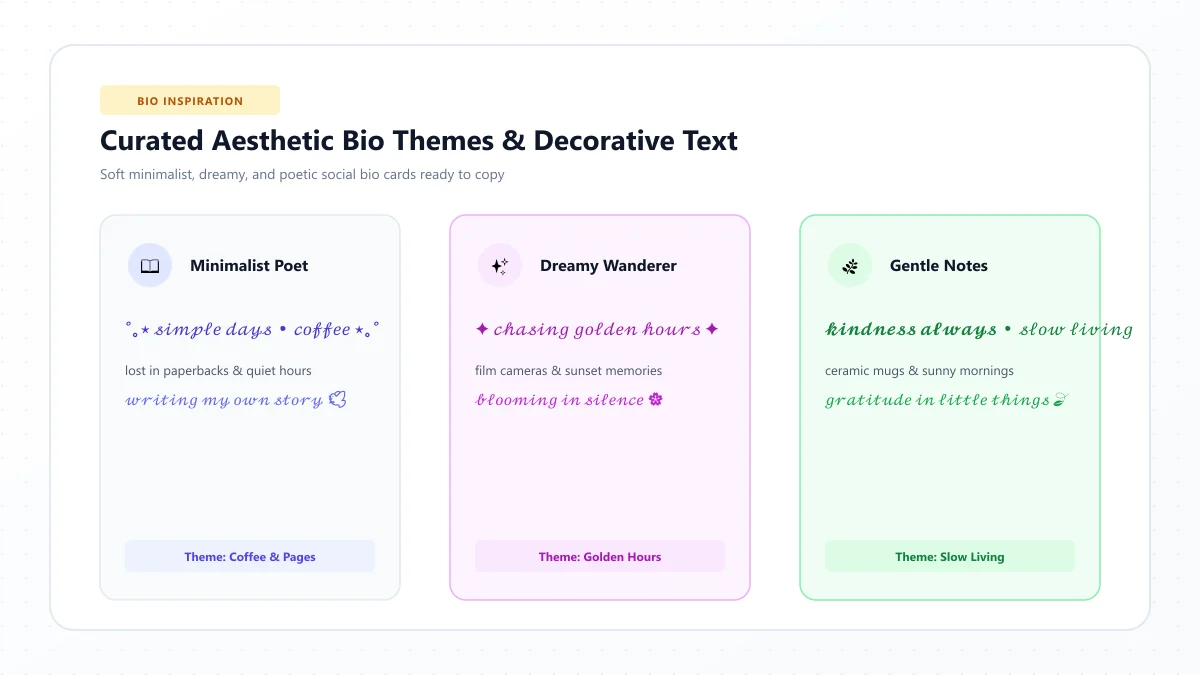
20 Stylish TikTok Bio Ideas
These examples combine personality, decorative lettering and concise wording.
They're designed as inspiration for personal profiles and creator accounts.
Cute and soft aesthetic bios
1. ♡ 𝓢𝓽𝓪𝔂 𝓢𝔀𝓮𝓮𝓽
2. 🌸 little joys, big dreams
3. ✧ 𝓢𝓸𝓯𝓽 𝓥𝓲𝓫𝓮𝓼
4. 🎀 everyday magic
5. ☁️ finding my happy place
Lifestyle and mini-vlog bios
6. 𝗗𝗮𝗶𝗹𝘆 𝗠𝗼𝗺𝗲𝗻𝘁𝘀 ✨
7. ☕ coffee & little adventures
8. ♡ 𝓜𝔂 𝓛𝓲𝓯𝓮 𝓓𝓲𝓪𝓻𝔂
9. 📷 everyday stories
10. ✿ life in tiny chapters
Gaming and entertainment bios
11. 🎮 𝗚𝗮𝗺𝗲 𝗢𝗻
12. ⚡ clips, laughs & good games
13. ★ 𝓟𝓵𝓪𝔂 𝓜𝓸𝓻𝓮
14. 🎧 music & late-night streams
15. ✦ creating fun moments
Art, study and creative bios
16. 🎨 𝓐𝓻𝓽 & 𝓘𝓭𝓮𝓪𝓼
17. ✍️ notes from my notebook
18. 📚 𝗦𝘁𝘂𝗱𝘆 𝗗𝗶𝗮𝗿𝘆
19. ✨ designing little wonders
20. ♡ creative days ahead
For a clearer creator profile, combine one of these decorative phrases with an ordinary-text description of your niche.
How to Use Fancy Fonts in TikTok Captions
TikTok captions help viewers understand what a video is about.
They can also carry descriptive words, context and searchable information.
Decorative text can work as a short visual accent, but converting the entire caption may make it harder to read and search.
Step-by-step instructions
- Write your video caption in ordinary text.
- Identify a short phrase you want to emphasize.
- Generate a fancy version of that phrase.
- Copy it.
- Open TikTok's posting screen.
- Paste the decorative phrase into the description field.
- Add the rest of your caption in regular text.
- Preview and publish once you're satisfied.
Example: Lifestyle video
Decorative heading:
𝓢𝓵𝓸𝔀 𝓜𝓸𝓻𝓷𝓲𝓷𝓰𝓼 ☕
Normal description:
A quiet morning routine with coffee, journaling and a little time outdoors.
Example: Fashion video
Decorative heading:
𝗢𝘂𝘁𝗳𝗶𝘁 𝗗𝗶𝗮𝗿𝘆 ✨
Normal description:
Three comfortable autumn outfit ideas for everyday wear.
Example: Art video
Decorative heading:
𝓒𝓻𝓮𝓪𝓽𝓲𝓿𝓮 𝓓𝓪𝔂 🎨
Normal description:
Painting a small watercolor landscape using a limited color palette.
These examples keep the visual accent separate from the main description.
15 Fancy TikTok Caption Ideas to Copy
Use these short phrases as caption openings, not necessarily as complete descriptions for every video.
Aesthetic and lifestyle
- 𝓛𝓲𝓽𝓽𝓵𝓮 𝓜𝓸𝓶𝓮𝓷𝓽𝓼 ✨
- ♡ 𝓢𝓽𝓪𝔂 𝓖𝓸𝓵𝓭𝓮𝓷
- 𝗧𝗼𝗱𝗮𝘆'𝘀 𝗩𝗶𝗯𝗲
- ☁️ 𝓢𝓸𝓯𝓽 𝓓𝓪𝔂𝓼
- ✿ everyday beauty
Fashion and beauty
- 𝗦𝘁𝘆𝗹𝗲 𝗡𝗼𝘁𝗲𝘀
- ♡ 𝓖𝓮𝓽 𝓡𝓮𝓪𝓭𝔂
- ✨ 𝗡𝗲𝘄 𝗟𝗼𝗼𝗸
- 𝓜𝔂 𝓕𝓪𝓿𝓸𝓻𝓲𝓽𝓮𝓼
- ✧ simply styled
Travel, food and creativity
- 🌍 𝓔𝔁𝓹𝓵𝓸𝓻𝓮 𝓜𝓸𝓻𝓮
- 🍰 𝗦𝘄𝗲𝗲𝘁 𝗠𝗼𝗺𝗲𝗻𝘁𝘀
- 🎨 𝓜𝓪𝓭𝓮 𝓦𝓲𝓽𝓱 𝓛𝓸𝓿𝓮
- ☾ 𝓛𝓪𝓽𝓮 𝓝𝓲𝓰𝓱𝓽 𝓘𝓭𝓮𝓪𝓼
- ✨ a new little adventure
You can personalize any example with a specific detail about your video.
How to Change Fonts on Text Inside a TikTok Video
There's an important difference between fancy text in a TikTok caption and text displayed directly over a video.
TikTok's video editor includes native font-formatting options for on-screen text.
You don't have to use Unicode characters to change the appearance of that text.
Using TikTok's built-in video text editor
- Open TikTok and create or upload a video.
- Go to the video editing interface.
- Choose the Text tool.
- Type the words you want to display.
- Select one of the available font styles.
- Adjust the color, background, alignment or position if needed.
- Save your edits and preview the video.
The exact controls may vary between app versions.
When should you use native fonts?
Native TikTok font options are usually preferable when creating text overlays because you can control the appearance within the video editor.
Unicode fancy text is more appropriate for short decorative phrases in fields without a regular font picker.
For important on-screen explanations or subtitles, choose clear, high-contrast text rather than ornate lettering.
Best Fancy Font Styles for Different TikTok Accounts
Not every font style fits every kind of content.
A simple selection guide can help you choose a style that complements your account.
Account type | Suggested styling | Example |
|---|---|---|
Lifestyle | Light cursive accent | 𝒮ℴ𝒻𝓉 ℳℴ𝓂ℯ𝓃𝓉𝓈 |
Beauty | Elegant script | 𝓑𝓮𝓪𝓾𝓽𝔂 |
Gaming | Bold Unicode | 𝗚𝗮𝗺𝗶𝗻𝗴 |
Fitness | Short bold heading | 𝗦𝘁𝗮𝘆 𝗦𝘁𝗿𝗼𝗻𝗴 |
Book content | Simple italic accent | 𝘉𝘰𝘰𝘬 𝘕𝘰𝘵𝘦𝘴 |
Art and crafts | Cursive name or phrase | 𝓒𝓻𝓮𝓪𝓽𝓮 |
Small business | Ordinary brand name with subtle decoration | ♡ Handmade Studio |
Study content | Bold category label | 𝗦𝘁𝘂𝗱𝘆 𝗧𝗶𝗽𝘀 |
These are creative suggestions, not evidence that a particular font increases views or followers.
Choose readability and consistency over decoration.
How to Make a Professional TikTok Bio With Fancy Text
If you use TikTok to promote a business, service or creative project, your profile should tell visitors what you offer.
One effective approach is to combine a short decorative headline with a clear description.
For example:
𝗔𝗿𝘁 𝗦𝘁𝘂𝗱𝗶𝗼 🎨
Original illustrations & creative tips
Or:
♡ 𝓗𝓪𝓷𝓭𝓶𝓪𝓭𝓮
Thoughtful gifts and custom keepsakes
Keep important information in regular text
For professional profiles, preserve the ordinary spelling of your business name and essential search terms whenever possible.
Decorative Unicode letters are distinct from regular letters, so they may not behave the same way in search or accessibility tools.
Use fancy fonts for visual personality, not as a substitute for clear communication.
Why Aren't My Fancy Fonts Working on TikTok?
Fancy fonts don't always behave the same way across every TikTok field.
Here are some common problems and possible solutions.
1. TikTok won't accept my fancy username
TikTok restricts the characters allowed in @usernames.
Fix: Keep the handle in permitted ordinary characters and use your display name or bio for decorative text.
2. My fancy letters appear as boxes
Some devices or applications may not have the glyph support needed to display particular Unicode characters.
Fix: Try a simpler style and preview it again.
3. The bio is too long
TikTok's bio field has a strict character limit.
Fix: Shorten the phrase, remove unnecessary symbols and use the in-app counter.
4. My styled name won't save
The nickname may exceed the field limit, contain unsupported characters, or be temporarily restricted by TikTok's name-change rules.
Fix: Shorten the text, try ordinary characters and check whether you're eligible to change the nickname again.
5. My caption looks crowded
A long caption made entirely of decorative Unicode characters can be difficult to read.
Fix: Keep only the headline styled and use standard letters for the main description.
6. My fancy hashtag doesn't work as expected
Decorative Unicode characters are different from ordinary Latin letters.
Fix: Use standard text for hashtags and searchable keywords.
7. The text changes after pasting
Some interfaces may filter or render characters differently.
Fix: Preview the saved result, compare styles and choose a simpler alternative if necessary.
Do Fancy Fonts Affect TikTok Search and Accessibility?
Fancy fonts can be visually attractive, but there are practical limitations.
Searchability
A Unicode cursive character isn't necessarily treated as the same underlying character as its ordinary Latin equivalent.
For example, mathematical script letters differ from the letters used in normal search phrases.
That means you shouldn't assume a fully stylized caption will be understood or indexed identically to its plain-text version.
TikTok doesn't publicly document every detail of its search and recommendation systems. Claims that fancy fonts automatically increase or reduce reach should be treated skeptically.
For discoverability, use ordinary text for important descriptive keywords and hashtags.
Accessibility
Some screen readers announce decorative mathematical characters individually or use their technical names.
This can make an entire fancy-text sentence difficult to understand.
To improve accessibility:
- Use normal text for essential information.
- Keep decorative phrases short.
- Avoid styling long instructions.
- Choose readable symbols and spacing.
- Prefer native video text with good contrast when adding on-screen explanations.
An attractive profile should still be understandable to visitors using different devices and assistive technologies.
How to Use Fancy TikTok Fonts on iPhone and Android
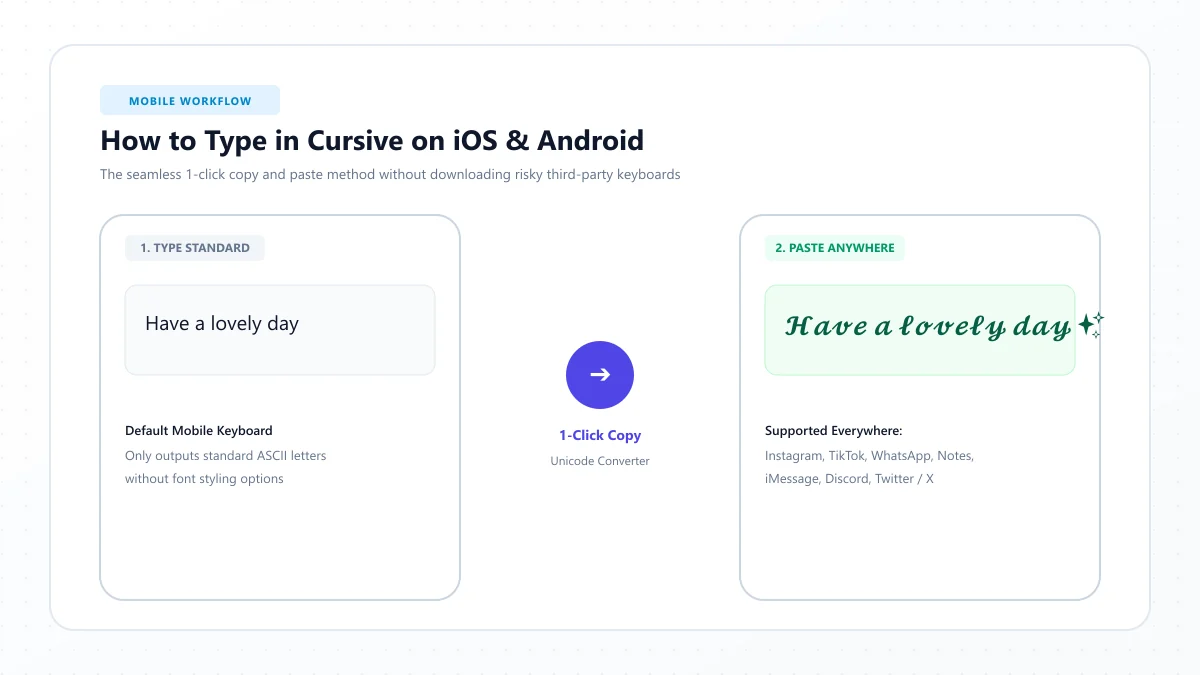
You can generate Unicode text through a browser on both mobile platforms.
iPhone
Open Safari, visit the TikTok font generator, type your phrase and copy a style.
Open TikTok and paste the result into the compatible field.
Android
Open Chrome or another browser, generate the fancy text, copy it and paste it into TikTok.
If the character display differs from the preview, try another style.
Neither method requires installing a separate keyboard.
For more detailed device-specific instructions, see our guide on typing in cursive on iPhone and Android.
Common Mistakes to Avoid With TikTok Fancy Fonts
Using too many font styles
A display name in cursive, a bio in gothic, and a caption containing several unrelated styles can look inconsistent.
Choose one primary style and use it selectively.
Making your name hard to recognize
If you want people to remember your account, don't make the name unnecessarily difficult to read.
Keep a recognizable version of your identity available.
Decorating every hashtag
Hashtags are meant to help categorize and discover content.
Use ordinary letters for hashtags you expect others to search.
Ignoring bio limits
Short bio fields leave little room for decorative symbols.
Test the complete phrase rather than relying only on a generator's character count.
Using fancy text in every caption
Decorative Unicode can be visually tiring over long passages.
Reserve it for a short heading, mood or accent when appropriate.
Assuming fancy fonts cause viral growth
Fonts are a design choice, not a proven ranking technique.
A strong TikTok presence depends on relevant content and how viewers respond to it, not simply the appearance of your bio.
Frequently Asked Questions About TikTok Fancy Fonts
How do I get fancy fonts on TikTok?
Open a TikTok fancy font generator, enter your text, choose a style and copy it. Paste the result into a compatible field such as your bio or display name, then save and preview it.
Can I use cursive fonts in my TikTok bio?
Yes, many Unicode cursive characters can be pasted into TikTok bios. However, compatibility and character restrictions can vary, so keep your text short and check the final result.
Can I change my TikTok username to fancy text?
TikTok usernames are restricted to letters, numbers, underscores and periods. Decorative Unicode scripts are not supported for ordinary @handles.
What's the difference between a TikTok display name and username?
The display name is your public nickname. The username is your unique @handle and forms part of your profile URL. Their character restrictions are different.
Can I use fancy fonts in TikTok captions?
Many decorative Unicode characters can be pasted into video descriptions. Use them sparingly and keep important keywords and hashtags in ordinary text.
Does TikTok have its own fonts for videos?
Yes. TikTok provides native text-formatting options in its video editing interface, including font choices and visual customization.
How do I make my TikTok name cursive?
Generate a cursive version of your name, copy it and paste it into the Name field under Edit profile. Make sure it meets the current character and change-frequency restrictions.
What is the TikTok bio character limit?
TikTok bios commonly have a limit of 80 characters. Check the counter in the current app because decorative characters and emoji may be counted differently from their visible length.
Are TikTok fancy fonts free?
You can generate decorative Unicode text using free web-based tools. No paid font download is required for the copy-and-paste method.
Do fancy TikTok fonts work on Android and iPhone?
Many Unicode characters work on modern Android and iPhone devices, but exact appearance depends on font support, app versions and field restrictions.
Are fancy fonts good for TikTok SEO?
They can support visual branding, but they are not a proven way to improve search rankings or video recommendations. Keep important search terms in normal text.
Why won't TikTok save my decorative display name?
Possible reasons include a character limit, unsupported symbols, content restrictions or name-change timing rules. Try a shorter name and check TikTok's current requirements.
Final Thoughts: Give Your TikTok Profile a Style That Fits
Fancy fonts can add personality to a TikTok profile, whether you prefer elegant cursive, bold lettering, minimalist styling or playful symbols.
The easiest method is to generate a decorative phrase, copy it and paste it into a supported TikTok field.
Remember that your display name, bio, captions and username have different rules. Use decorative Unicode only where it works, keep essential information readable, and rely on TikTok's native editing features when styling text directly on videos.
Start with one short phrase and choose a style that complements your content instead of competing with it.
Ready to personalize your profile? Try our free TikTok Cursive Fonts Generator to explore 20+ cursive and fancy text styles, preview your bio and copy your favorite lettering.
References and further reading
These links are provided for further reading. External websites and information may change.