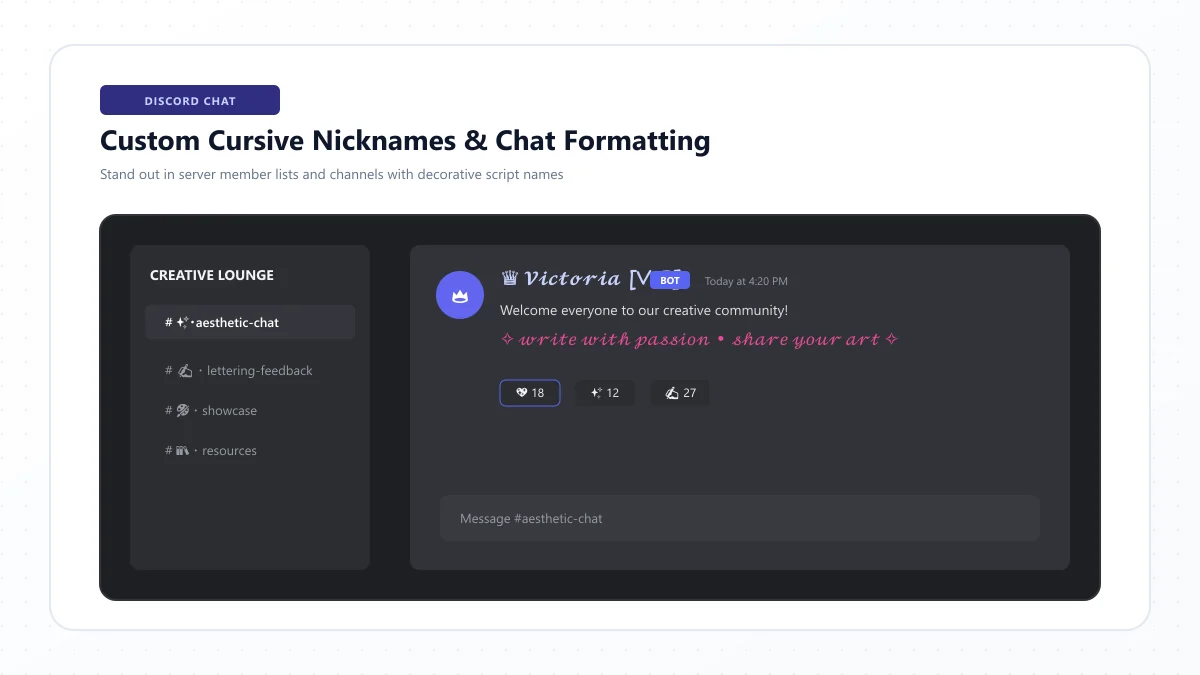
Have you ever joined a Discord server and noticed someone with an elegant cursive nickname like 𝓜𝓸𝓸𝓷𝓵𝓲𝓰𝓱𝓽 or a beautifully styled About Me section?
Maybe you've seen decorative lettering in a gaming community, an aesthetic profile, or a welcome message and wondered how to create the same look.
The good news is that you can write in cursive on Discord without installing a special font, keyboard, or bot.
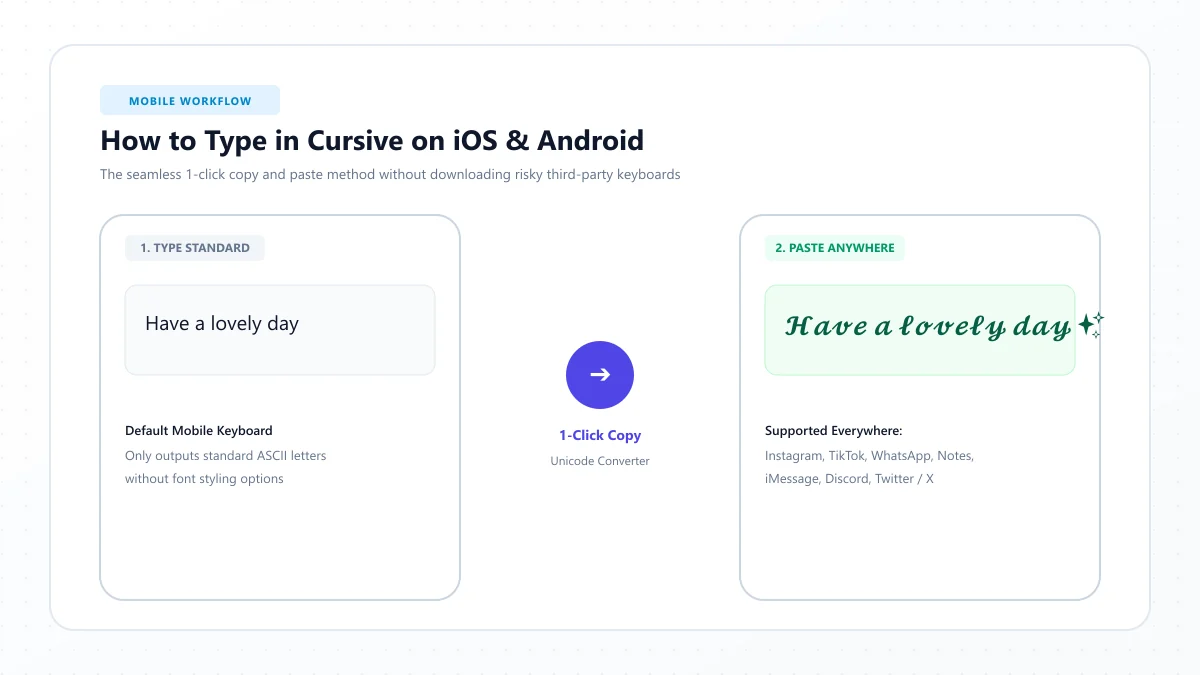
The easiest method is to use a cursive text generator. Simply type your words, choose a style, copy the result, and paste it into a compatible Discord field.
However, Discord has different rules for usernames, display names, server nicknames, bios, and chat messages. Understanding those differences is essential if you want your decorative text to work correctly.
In this guide, you'll learn how to use cursive fonts on Discord, customize your profile, create stylish messages, and fix common formatting problems.
You'll also find copyable cursive nickname ideas, aesthetic Discord bios, helpful Markdown examples, and practical styling tips.
How to Write in Cursive on Discord in 3 Easy Steps
To write in cursive on Discord, follow these steps:
- Open the free Discord Cursive Fonts Generator.
- Enter your name, nickname, bio phrase, or message, then choose and copy a cursive style.
- Open Discord, paste the text into a compatible field, and preview the result.
For example:
Normal text: Moonlight
Cursive text: 𝓜𝓸𝓸𝓷𝓵𝓲𝓰𝓱𝓽
Normal text: Dream Big
Bold cursive: 𝓓𝓻𝓮𝓪𝓶 𝓑𝓲𝓰
Normal text: Hello Friends
Elegant script: ℋℯ𝓁𝓁ℴ ℱ𝓇𝒾ℯ𝓃𝒹𝓈
These examples use decorative Unicode characters that resemble handwriting.
You can usually paste compatible Unicode script into display names, server nicknames, About Me sections, and messages.
However, your unique Discord username has stricter character restrictions.
Quick tip: Use cursive for short decorative phrases rather than important information that everyone must be able to read.
What Are Discord Cursive Fonts?
Discord cursive fonts are decorative Unicode text styles that make ordinary words resemble connected handwriting or calligraphy.
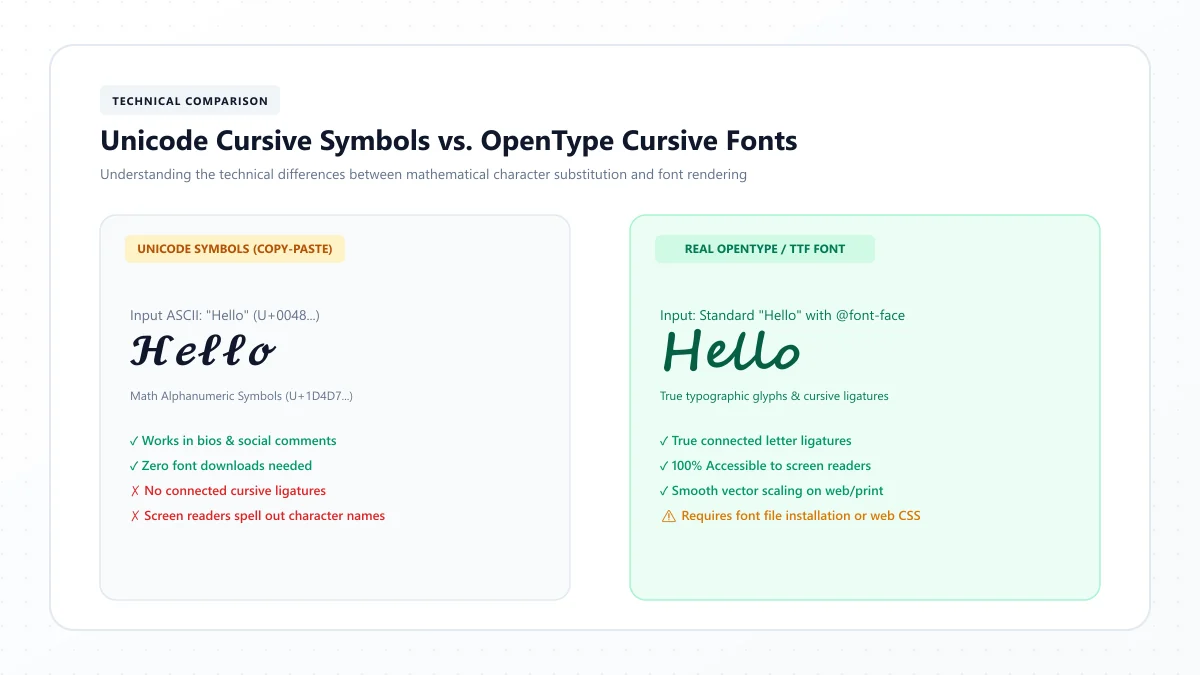
Despite the name, most Discord cursive font generators don't actually install a font.
Instead, they convert Latin letters into different Unicode characters with a script-like appearance.
For example:
Normal: Hello
Cursive: 𝓗𝓮𝓵𝓵𝓸
Bold: 𝗛𝗲𝗹𝗹𝗼
Italic: 𝘏𝘦𝘭𝘭𝘰
Fraktur: 𝕳𝖊𝖑𝖑𝖔
These are not all technically cursive handwriting styles, but they're common decorative typography options.
Why does Unicode cursive work on Discord?
Unicode includes characters from many writing systems and symbol sets, including mathematical script and bold mathematical alphabets.
Because these are actual characters rather than an uploaded typeface, they can be copied as text into fields that accept them.
Their visual appearance depends on the fonts available to Discord and the device displaying the text.
That means a phrase may look slightly different on Windows, macOS, Android, and iPhone.
Where Can You Use Cursive Text on Discord?
Before customizing your account, it's useful to understand which Discord fields support decorative text.
Discord feature | Can you use cursive Unicode? | Important details |
|---|---|---|
Display name | Generally yes | Maximum 32 characters |
Unique username | No | Restricted to lowercase Latin letters, numbers, underscores, and periods |
Server nickname | Generally yes | Subject to server permissions and naming restrictions |
About Me bio | Yes | Supports Unicode, Markdown, links, and emoji |
Direct messages | Generally yes | Supports pasted Unicode and native Markdown |
Server messages | Generally yes | Follow server rules and moderation settings |
Custom status | Usually, where accepted | Keep the status short and readable |
Channel or role names | Depends on permissions and field rules | Requires appropriate server management access |
A useful distinction is that your username identifies your account, while your display name controls how your name appears to other people in many parts of Discord.
Server nicknames can also override your global display name inside individual communities.
How to Make Your Discord Display Name Cursive
Your Discord display name is the visible name people commonly see when interacting with your profile.
Unlike your unique account username, it can contain a wider variety of characters.
Step 1: Choose your display name
Start with the name or phrase you want to display.
For example:
Luna
Or:
Night Owl
Step 2: Generate a cursive version
Open the Discord Cursive Fonts Generator.
Enter your text and choose a suitable style.
For example:
Luna → 𝓛𝓾𝓷𝓪
Step 3: Copy your favorite style
Select Copy next to the result you want.
The Unicode characters will be stored in your clipboard.
Step 4: Open Discord profile settings
Open Discord and navigate to your account settings.
Find the Profiles section or the display-name editing control in the current interface.
The exact navigation may vary between the mobile, web, and desktop versions.
Step 5: Paste and save
Paste the cursive text into the Display Name field.
Save your changes and preview how the name appears.
Discord allows display names between 1 and 32 characters, subject to its content and formatting rules.
Should your entire Discord name be cursive?
A full cursive name can look attractive, but it may also be harder for other users to read or locate.
If you regularly participate in busy communities, consider keeping a recognizable name or part of your identity in ordinary text.
For example:
Luna ♡
Or:
Luna | 𝓓𝓻𝓮𝓪𝓶𝓮𝓻
This gives your profile personality without making identification unnecessarily difficult.
20 Stylish Cursive Discord Nicknames to Copy
Looking for inspiration?
These examples are suitable for personal profiles, gaming communities, study groups, and aesthetic servers.
Cute and aesthetic Discord nicknames
- ♡ 𝓛𝓾𝓷𝓪
- 🌸 𝓑𝓵𝓸𝓼𝓼𝓸𝓶
- ✨ 𝓢𝓽𝓪𝓻𝓵𝓲𝓰𝓱𝓽
- ☁️ 𝓢𝓸𝓯𝓽 𝓢𝓴𝓲𝓮𝓼
- 🦋 𝓓𝓻𝓮𝓪𝓶𝓮𝓻
Gaming-inspired nicknames
- ⚔️ 𝓢𝓱𝓪𝓭𝓸𝔀
- 🎮 𝓟𝓲𝔁𝓮𝓵
- 🔥 𝓟𝓱𝓸𝓮𝓷𝓲𝔁
- ✦ 𝓖𝓱𝓸𝓼𝓽
- 🌙 𝓜𝓲𝓭𝓷𝓲𝓰𝓱𝓽
Elegant and minimalist nicknames
- 𝒮𝓀𝓎
- 𝒜𝓇𝒾𝒶
- 𝓔𝓬𝓱𝓸
- 𝓢𝓪𝓰𝓮
- 𝓡𝓸𝓼𝓮
Creative and cozy nicknames
- 📚 𝓑𝓸𝓸𝓴𝔀𝓸𝓻𝓶
- 🎨 𝓐𝓻𝓽𝓲𝓼𝓽
- ☕ 𝓒𝓸𝔃𝔂 𝓥𝓲𝓫𝓮𝓼
- ✿ 𝓦𝓲𝓵𝓭𝓯𝓵𝓸𝔀𝓮𝓻
- ☆ 𝓢𝓽𝓪𝓻 𝓖𝓪𝔃𝓮𝓻
You can customize any example with your own name or favorite phrase.
Keep the final name within Discord's applicable length and content rules.
Can You Use Cursive in Your Discord Username?
Your unique Discord username is different from your display name.
Discord restricts usernames to:
- Lowercase Latin letters from a to z
- Numbers from 0 to 9
- Underscores
- Periods
Usernames must also follow length and punctuation restrictions.
For example:
Valid-looking username format: luna.gaming
Decorative version not permitted as a username: 𝓵𝓾𝓷𝓪.𝓰𝓪𝓶𝓲𝓷𝓰
A decorative version may be suitable for your display name, but not your unique account handle.
If your goal is to make your profile more aesthetic, customize the Display Name field instead.
Discord username vs. display name vs. server nickname
Feature | Purpose | Styling flexibility |
|---|---|---|
Username | Unique account identifier | Very limited |
Display name | Public-facing global name | Unicode and decorative characters |
Server nickname | Name used within a particular server | Often customizable, depending on permissions |
This distinction is especially useful if your global name looks different when you enter certain servers.
How to Make a Cursive Discord Server Nickname
Discord lets members use different nicknames in individual servers when the server's permissions allow it.
For example, you might use a professional display name globally but a playful gaming nickname inside a community.
Step 1: Choose your server nickname
Decide what you want members of that server to see.
For example:
Moonlight
Step 2: Convert it to cursive
Use the Discord Cursive Fonts Generator.
Copy a styled version such as:
𝓜𝓸𝓸𝓷𝓵𝓲𝓰𝓱𝓽
Step 3: Open the server
Navigate to the Discord server where you want to change your nickname.
Step 4: Find the nickname option
Depending on your device and the server configuration, you may find the option through your server profile or server member controls.
Some server settings restrict nickname changes.
Step 5: Paste and save
Paste your chosen cursive text and save the nickname.
Why isn't my nickname changing?
If the option is missing or your changes don't apply, check whether:
- The server allows members to change nicknames.
- Your role has the necessary permission.
- Your text meets the applicable character restrictions.
- The nickname follows the server's rules.
- A moderator has applied a different nickname.
Moderators may require readable names to make administration easier.
It's best to respect server naming policies rather than trying to bypass them.
How to Add Cursive Text to Your Discord Bio
Discord's About Me section lets you introduce yourself with a short description, personal interests, favorite games, quotations, and decorative text.
It supports Unicode characters, Markdown, links, and emoji.
This makes it a natural place for a short cursive phrase.
Step 1: Write your bio
Start with a short description.
For example:
Creative soul | Gaming and art
Step 2: Choose a decorative phrase
You might want to style:
Creative Soul
Step 3: Generate cursive text
Convert the phrase:
𝓒𝓻𝓮𝓪𝓽𝓲𝓿𝓮 𝓢𝓸𝓾𝓵
Step 4: Open your Discord profile editor
Navigate to User Settings and open Profiles.
Find the About Me field.
Step 5: Paste your cursive phrase
Add your decorative text alongside ordinary words.
For example:
🎨 𝓒𝓻𝓮𝓪𝓽𝓲𝓿𝓮 𝓢𝓸𝓾𝓵
Gaming • Art • Music
Step 6: Preview and save
Discord's documented About Me limit is 190 characters.
Preview the final result and shorten your bio if it exceeds the field's current allowance.
Keep essential details readable and use decorative script primarily as a visual accent.
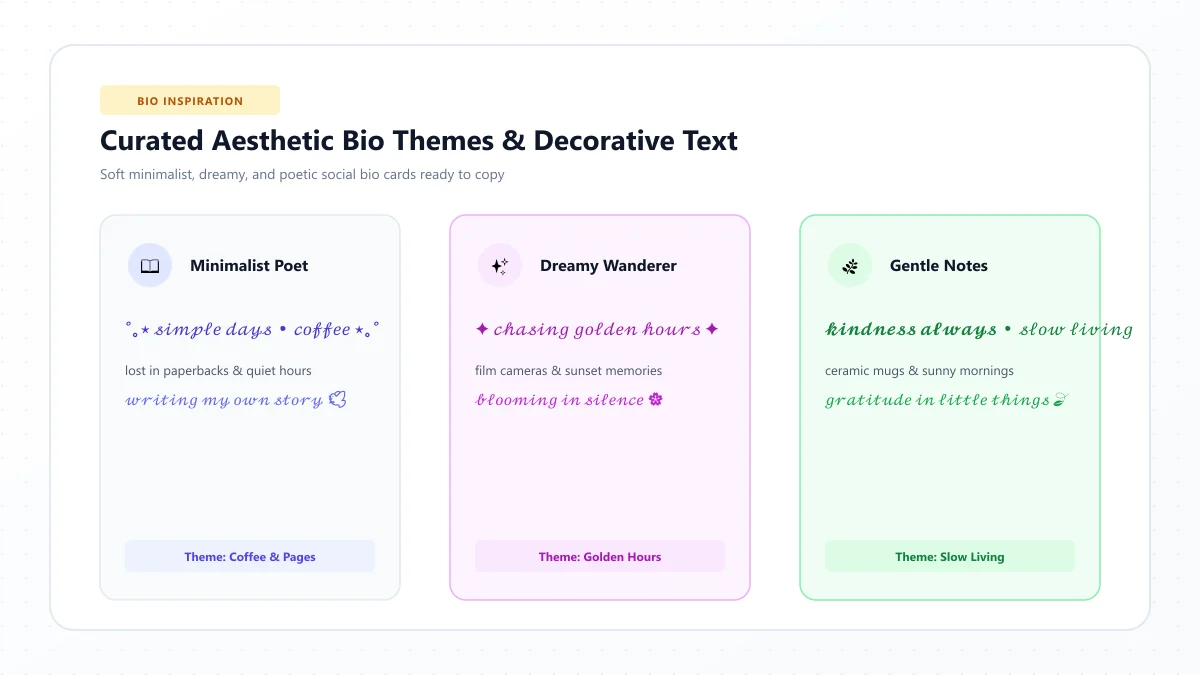
20 Aesthetic Discord Bio Ideas
These short ideas can be copied into your About Me section or customized to suit your interests.
Soft and cute Discord bios
- ♡ 𝓢𝓸𝓯𝓽 𝓓𝓪𝔂𝓼
- 🌸 collecting little happy moments
- ☁️ 𝓓𝓻𝓮𝓪𝓶 𝓑𝓲𝓰
- 🦋 just finding my wings
- ✿ flowers, friends & good vibes
Gaming Discord bios
- 🎮 𝓖𝓪𝓶𝓮 𝓞𝓷
- ⚡ one more match
- 🎧 gaming, music & midnight chats
- ✦ 𝓟𝓲𝔁𝓮𝓵 𝓓𝓻𝓮𝓪𝓶𝓼
- 🕹️ here for the good games
Dark and mysterious Discord bios
- ☾ 𝓜𝓸𝓸𝓷𝓵𝓲𝓰𝓱𝓽
- 🖤 quiet thoughts after midnight
- ✦ stories written in starlight
- 🌙 𝓢𝓽𝓪𝔂 𝓜𝔂𝓼𝓽𝓮𝓻𝓲𝓸𝓾𝓼
- ☽ between shadows and stars
Study and creative Discord bios
- 📚 𝓚𝓮𝓮𝓹 𝓛𝓮𝓪𝓻𝓷𝓲𝓷𝓰
- ✍️ notes, ideas & imagination
- 🎨 𝓜𝓪𝓴𝓮 𝓢𝓸𝓶𝓮𝓽𝓱𝓲𝓷𝓰
- ☕ studying one page at a time
- ✨ curiosity meets creativity
Use these phrases selectively. A brief description of your real interests can be more helpful than an entirely decorative bio.
How to Send Cursive Messages on Discord
You can also paste cursive Unicode characters directly into Discord chats.
This works differently from changing a display name because you're styling the content of a message rather than your account identity.
Step 1: Write a message
For example:
Welcome to the server!
Step 2: Generate a cursive version
Open the generator and create the desired style.
Example:
𝓦𝓮𝓵𝓬𝓸𝓶𝓮 𝓽𝓸 𝓽𝓱𝓮 𝓼𝓮𝓻𝓿𝓮𝓻!
Step 3: Copy the text
Use the generator's Copy button.
Step 4: Open Discord
Go to a direct message, group chat, or server channel where you have permission to send messages.
Step 5: Paste and send
Paste the cursive text into the message box.
Check it before sending.
Decorative Unicode is most practical for short greetings, celebrations, or headings.
For longer explanations, ordinary text is generally easier for everyone to read.
15 Cursive Discord Message Ideas to Copy
Here are some short phrases suitable for messages, server greetings, and friendly conversations.
Welcome messages
- 𝓗𝓮𝓵𝓵𝓸 𝓔𝓿𝓮𝓻𝔂𝓸𝓷𝓮!
- ♡ 𝓦𝓮𝓵𝓬𝓸𝓶𝓮!
- ✨ 𝓖𝓵𝓪𝓭 𝓨𝓸𝓾'𝓻𝓮 𝓗𝓮𝓻𝓮
- 🌸 𝓗𝓪𝓿𝓮 𝓕𝓾𝓷!
- ☆ 𝓢𝓽𝓪𝔂 𝓚𝓲𝓷𝓭
Friendly chat messages
- ♡ 𝓗𝓮𝔂 𝓕𝓻𝓲𝓮𝓷𝓭𝓼
- ☕ 𝓒𝓸𝔃𝔂 𝓣𝓲𝓶𝓮
- ✨ 𝓖𝓸𝓸𝓭 𝓥𝓲𝓫𝓮𝓼
- 🌙 𝓖𝓸𝓸𝓭 𝓝𝓲𝓰𝓱𝓽
- 🦋 𝓚𝓮𝓮𝓹 𝓢𝓶𝓲𝓵𝓲𝓷𝓰
Gaming and community messages
- 🎮 𝓛𝓮𝓽'𝓼 𝓟𝓵𝓪𝔂
- ⚔️ 𝓖𝓸𝓸𝓭 𝓛𝓾𝓬𝓴
- 🏆 𝓦𝓮𝓵𝓵 𝓟𝓵𝓪𝔂𝓮𝓭
- ✦ 𝓖𝓻𝓮𝓪𝓽 𝓣𝓮𝓪𝓶
- 🎉 𝓖𝓖 𝓔𝓿𝓮𝓻𝔂𝓸𝓷𝓮
You can use these as decorative highlights, but avoid sending long blocks of stylized characters that are difficult to read.
Discord Markdown vs. Unicode Cursive: What's the Difference?
Discord includes native Markdown formatting, which lets you style text without an external generator.
For example, Markdown can create bold, italic, underlined, and struck-through text.
Unicode cursive works differently: it replaces regular characters with decorative script symbols.
Discord Markdown formatting examples
What you type | Result | ||||
|---|---|---|---|---|---|
**Hello** | Bold text | ||||
*Hello* | Italic text | ||||
***Hello*** | Bold italic text | ||||
__Hello__ | Underlined text | ||||
~~Hello~~ | Strikethrough text | ||||
` | Hello | ` | Spoiler text | ||
`Hello` | Inline code |
These examples use Discord's supported Markdown syntax.
Discord also supports headings, block quotes, and code blocks within messages.
Which method should you use?
Use Markdown when you want ordinary words displayed in bold, italic, underline, or other supported formats.
Use Unicode cursive when you specifically want decorative script-like lettering that resembles handwriting.
For example:
Markdown italic: *Hello friends*
Unicode cursive: 𝓗𝓮𝓵𝓵𝓸 𝓯𝓻𝓲𝓮𝓷𝓭𝓼
Another important distinction is that Discord's About Me field supports some Markdown as well as Unicode, so you don't always need decorative characters just to emphasize a phrase there.
Markdown generally preserves the underlying ordinary letters, making it a better choice when standard text formatting meets your needs.
How to Use Cursive on Discord Mobile
You can create and paste cursive text on the Discord mobile app without downloading additional fonts.
On iPhone
- Open Safari or another browser.
- Visit the Discord Cursive Fonts Generator.
- Enter your name or phrase.
- Copy your preferred style.
- Open the Discord app.
- Navigate to your display name, About Me, or a message field.
- Paste the text and preview it.
On Android
- Open Chrome or another browser.
- Visit the generator.
- Type the phrase you want to convert.
- Copy a cursive version.
- Open Discord.
- Select the desired field.
- Paste and save or send the text.
The process is similar on desktop.
You don't need a separate Unicode keyboard just to copy and paste decorative script.
How to Write in Cursive on Discord Desktop
Discord's desktop and web versions also support copy-and-paste text.
Step 1: Open the generator
Visit the Discord Cursive Fonts Generator in your browser.
Step 2: Enter your text
Type the name, phrase, or greeting you want to style.
Step 3: Copy the result
Choose a cursive style and copy it.
Step 4: Open Discord
Switch to the Discord desktop application or web interface.
Step 5: Paste your text
Use Ctrl+V on Windows or Command+V on macOS in the appropriate field.
Then save your profile changes or send your message.
If the decorative characters don't appear correctly, try a simpler style.
Best Cursive Styles for Discord Profiles
Not every decorative font gives the same visual impression.
Consider the mood of your profile or community before choosing a style.
Style | Example | Good for |
|---|---|---|
Bold cursive | 𝓗𝓮𝓵𝓵𝓸 | Short display names and greetings |
Light script | ℋℯ𝓁𝓁ℴ | Elegant profile accents |
Bold sans Unicode | 𝗛𝗲𝗹𝗹𝗼 | Clear, prominent short labels |
Italic Unicode | 𝘏𝘦𝘭𝘭𝘰 | Subtle decorative text |
Gothic | 𝕳𝖊𝖑𝖑𝖔 | Fantasy or medieval themes |
Small caps-style | ʜᴇʟʟᴏ | Minimalist nicknames |
These styles aren't all forms of handwritten cursive, but they're common choices for aesthetic Discord text.
For a cleaner appearance, choose one primary style instead of combining several different alphabets in the same phrase.
Cursive Text Ideas for Discord Servers
If you manage a Discord community, you can also use decorative text to create a consistent visual identity.
For example, an art community might use a soft cursive theme, while a fantasy gaming server might prefer more dramatic lettering.
Welcome channels and greetings
Example:
🌸・𝓦𝓮𝓵𝓬𝓸𝓶𝓮
This can serve as design inspiration for channel labels where the server's configuration permits those characters.
Community events
Example:
✨ 𝓒𝓸𝓶𝓶𝓾𝓷𝓲𝓽𝔂 𝓝𝓲𝓰𝓱𝓽
A short decorative heading can add personality to an event announcement.
Study groups
Example:
📚 𝓢𝓽𝓾𝓭𝔂 𝓣𝓲𝓶𝓮
Pair it with ordinary text explaining the schedule and activity.
Gaming announcements
Example:
🎮 𝓖𝓪𝓶𝓮 𝓝𝓲𝓰𝓱𝓽
Use the decorative phrase as a heading, followed by a readable announcement.
Important considerations for server owners
Channel and role names may have restrictions depending on Discord's current validation rules, and changing them requires appropriate permissions.
Avoid assuming that every decorative Unicode character is accepted in every channel name.
More importantly, keep essential navigation, safety rules, and support channels easy to recognize.
Highly decorative channel labels may make a server harder to navigate, search, or use with assistive technology.
Why Isn't My Cursive Font Working on Discord?
Sometimes decorative text looks correct in a generator but doesn't work as expected after pasting.
Here are common problems and solutions.
Problem | Possible reason | What to try |
|---|---|---|
Username rejects cursive | Usernames restrict special characters | Use the Display Name field |
Letters show as boxes | Missing glyph support | Try a simpler script style |
Display name won't save | Length or content restriction | Shorten the name |
Server nickname cannot change | Missing permission or server restriction | Check server rules and permissions |
Bio exceeds the limit | Too many characters | Shorten the text |
Friends struggle to find you | Decorative letters differ from ordinary Latin characters | Keep a recognizable plain-text name |
Markdown appears literally | Syntax or field behavior | Check supported formatting |
Message formatting looks strange | Unicode or Markdown interaction | Use simpler formatting |
Why does cursive look different on mobile and desktop?
Unicode characters depend on the fonts and rendering systems available on each device.
A cursive character may appear elegant on a computer but slightly different on a mobile phone.
This is not necessarily an error with the generator.
Why can't I paste cursive into my username?
Your Discord username is a restricted account identifier.
Mathematical script characters don't belong to the permitted username character set.
Use a display name or server nickname instead.
Why is my cursive bio difficult to read?
Some Unicode script characters resemble ornate handwriting and may be harder to recognize at small sizes.
Shorten the phrase or choose a clearer style.
Are Discord Cursive Fonts Safe to Use?
Unicode cursive characters are ordinary text characters, not software applications.
Generating and copying them doesn't require installing a bot or granting access to your Discord account.
A cursive text generator should not need your Discord password or account token to produce decorative text.
However, safe use also involves respecting Discord's platform rules and the policies of individual communities.
Avoid impersonating moderators, staff members, or other users through misleadingly styled names.
If a server requires recognizable nicknames, follow that rule.
Also avoid using deceptive look-alike characters to make one account appear to be another.
Do Cursive Discord Names Affect Accessibility and Search?
Decorative Unicode has limitations that are easy to overlook.
Some screen readers may announce the technical names of mathematical script characters rather than reading a stylized phrase naturally.
For example, a full sentence written in decorative script may be difficult to understand when read aloud by assistive technology.
Unicode cursive characters are also distinct from ordinary Latin letters.
This can complicate exact text searches, copy-and-paste matching, and automated moderation depending on how those systems process text.
Tips for readable Discord styling
Use cursive for short decorative phrases.
Keep important rules, announcements, and instructions in regular text.
Avoid making your entire profile unreadable.
For public communities, choose channel and role names that are easy to recognize.
If you want bold or italic emphasis in chat, consider native Markdown rather than replacing the entire message with mathematical Unicode characters.
A stylish profile should still be comfortable for other members to read.
10 Tips for Creating an Aesthetic Discord Profile
Here are practical ways to create a balanced look.
- Choose one primary style. Use one cursive or decorative alphabet consistently.
- Keep your username simple. Use the permitted characters for your account identifier.
- Customize your display name. This is usually the best place for a short cursive name.
- Use an aesthetic bio phrase. A short decorative headline can complement ordinary information.
- Avoid excessive symbols. Hearts and stars can look attractive, but too many create clutter.
- Check your nickname in different servers. Per-server nicknames can override your global display name.
- Keep messages readable. Use ordinary text for long discussions.
- Test mobile compatibility. Make sure your profile doesn't look broken on another device.
- Respect accessibility. Avoid styling important instructions entirely in decorative Unicode.
- Match your community's theme. Choose a style suitable for the people you're interacting with.
The best profile is one that expresses your personality without making communication more difficult.
Frequently Asked Questions About Cursive Fonts on Discord
How do I write in cursive on Discord?
Use a cursive text generator to convert ordinary words into Unicode script characters. Copy your preferred style and paste it into a compatible Discord field, such as your display name, bio, server nickname, or message.
Can I make my Discord name cursive?
Yes, your display name can generally contain Unicode cursive characters, subject to Discord's length and content restrictions. Your unique username cannot use decorative mathematical script characters.
Can I use cursive letters in my Discord username?
No. Discord restricts unique usernames to lowercase Latin letters, numbers, underscores, and periods, with additional punctuation and length rules.
How do I get a cursive Discord nickname?
Generate a cursive version of your nickname, copy it, and paste it into the server nickname field if you have permission to change it.
Can I add cursive text to my Discord About Me?
Yes. Discord's About Me section supports Unicode characters, emoji, links, and Markdown. Its documented character allowance is 190 characters.
Does Discord support Markdown in bios?
Yes. Discord's About Me field supports Markdown formatting, although the available formatting and presentation may differ from normal chat messages.
Can I send cursive messages on Discord?
Yes. You can paste compatible Unicode script into messages. For ordinary bold, italic, underlined, or struck-through text, Discord also supports native Markdown.
Does Discord have a built-in cursive font?
Discord doesn't provide a universal cursive font picker for usernames and display names. Decorative Unicode text is commonly used for these purposes, while messages support native text formatting.
Are Discord cursive fonts free?
Yes. Free browser-based cursive text generators can create copyable Unicode script without requiring paid fonts, bots, or special keyboards.
Do cursive fonts work on Discord mobile?
Many Unicode cursive characters display on Discord for iPhone and Android, but the exact appearance depends on the device and available glyph support.
Why can't I change my server nickname?
The server may restrict nickname changes, your role may lack the required permission, or the chosen text may violate naming restrictions.
Can I use fancy fonts in Discord channel names?
Some decorative characters may be accepted in certain channel names, depending on Discord's field restrictions and server settings. You must have the relevant permissions to edit channel names.
How do I make text bold or italic in Discord?
Use Markdown syntax, such as **bold** or *italic*, in a supported message field. This changes text presentation without replacing its ordinary letters with Unicode look-alikes.
Are cursive Discord names accessible?
Not always. Mathematical script characters may be announced awkwardly by screen readers. Keep important profile information and community instructions in ordinary text.
Final Thoughts: Create Stylish Discord Text Without Complicating Your Profile
Writing in cursive on Discord is simple once you understand where decorative text is supported.
A free online generator lets you create script-style letters, copy them, and paste them into display names, server nicknames, bios, and messages.
The most important distinction is between your unique username and your visible display name. Discord restricts usernames, while display names allow more flexibility.
For everyday messages, you can also use Discord's built-in Markdown formatting instead of decorative Unicode.
Start with a short cursive name or bio phrase, preview how it appears, and choose a style that suits your personality.
Ready to customize your Discord profile? Try our free Discord Cursive Fonts Generator to explore more than 20 decorative styles, copy your favorite lettering, and preview how cursive text looks in a Discord-inspired layout.
References and further reading
These links are provided for further reading. External websites and information may change.