A beautiful cursive font can completely change the appearance of a document. A simple invitation suddenly feels more elegant, a personal letter becomes warmer, and an ordinary heading can look as though it was written by hand.
But finding the right cursive font in Microsoft Word is not always easy.
Some fonts look like traditional handwriting, with smooth letters that connect naturally. Others resemble formal calligraphy, complete with graceful curves and dramatic flourishes. There are also playful script fonts that work beautifully for greeting cards, posters, and creative projects.
The challenge is knowing which one suits your design.
Some of the best cursive fonts to look for in Microsoft Word include Segoe Script, Edwardian Script ITC, Brush Script MT, Monotype Corsiva, and Lucida Handwriting. Each offers a different appearance, from relaxed handwriting to elegant calligraphy.
In this guide, we'll explore 15 beautiful cursive fonts for Microsoft Word in 2026, explain where each works best, and show you how to find, install, and use them.
Whether you're designing a wedding invitation, creating a handwritten-style signature, or simply making your document more attractive, you'll find plenty of inspiration here.
What Are Cursive Fonts in Microsoft Word?
Cursive fonts are typefaces designed to imitate flowing handwriting.
Unlike standard fonts such as Arial or Calibri, many cursive typefaces feature curved strokes, decorative letterforms, and connections between certain letters.
These characteristics give text a more personal and expressive appearance.
However, not every cursive font looks the same.
Some imitate everyday handwriting, while others draw inspiration from traditional penmanship and calligraphy.
You will generally encounter three broad styles.
Traditional Cursive Fonts
These fonts resemble connected handwriting, where letters flow naturally into one another.
They are useful for personal notes, headings, names, and informal documents.
Segoe Script is a good example.
Calligraphy Fonts
Calligraphy-inspired typefaces often feature graceful curves, contrasting thick and thin strokes, and ornamental capital letters.
They can be particularly attractive for wedding invitations, certificates, and formal announcements.
Edwardian Script ITC and Kunstler Script are examples of this style.
Casual Handwriting Fonts
These typefaces imitate relaxed, handwritten lettering.
They may feature irregular shapes, rounded strokes, and letters that do not always connect.
Bradley Hand ITC and Lucida Handwriting offer different interpretations of a handwritten appearance.
Although these styles overlap, understanding their differences makes choosing a font much easier.
15 Best Cursive Fonts in Microsoft Word
The following fonts include traditional Microsoft typefaces and styles commonly associated with Microsoft Office or Windows installations.
Important: Font availability depends on your operating system, Microsoft 365 subscription, Office version, and installed font collection. A font mentioned below may not appear automatically in every Word installation.
1. Segoe Script
Best for: Everyday cursive writing, personal notes, and creative headings.
Segoe Script is an excellent starting point for anyone who wants their text to resemble natural handwriting.
Its letters have a smooth, connected appearance without the excessive decoration found in many formal calligraphy fonts.
The design feels personal and relaxed, making it suitable for projects where readability matters alongside appearance.
You might use Segoe Script for:
- Personal letters
- Greeting card messages
- Journal titles
- Informal invitations
- Decorative document headings
One of its strengths is versatility. It can look polished without making a document feel overly formal.
Design tip: Try Segoe Script for a short heading and pair it with Aptos or Calibri for the body text.
2. Edwardian Script ITC
Best for: Wedding invitations, formal certificates, and elegant names.
Edwardian Script ITC is a sophisticated calligraphy-style font inspired by traditional penmanship.
It features elegant curves, delicate strokes, and expressive capital letters.
Its appearance feels formal and graceful, making it especially suitable for special occasions.
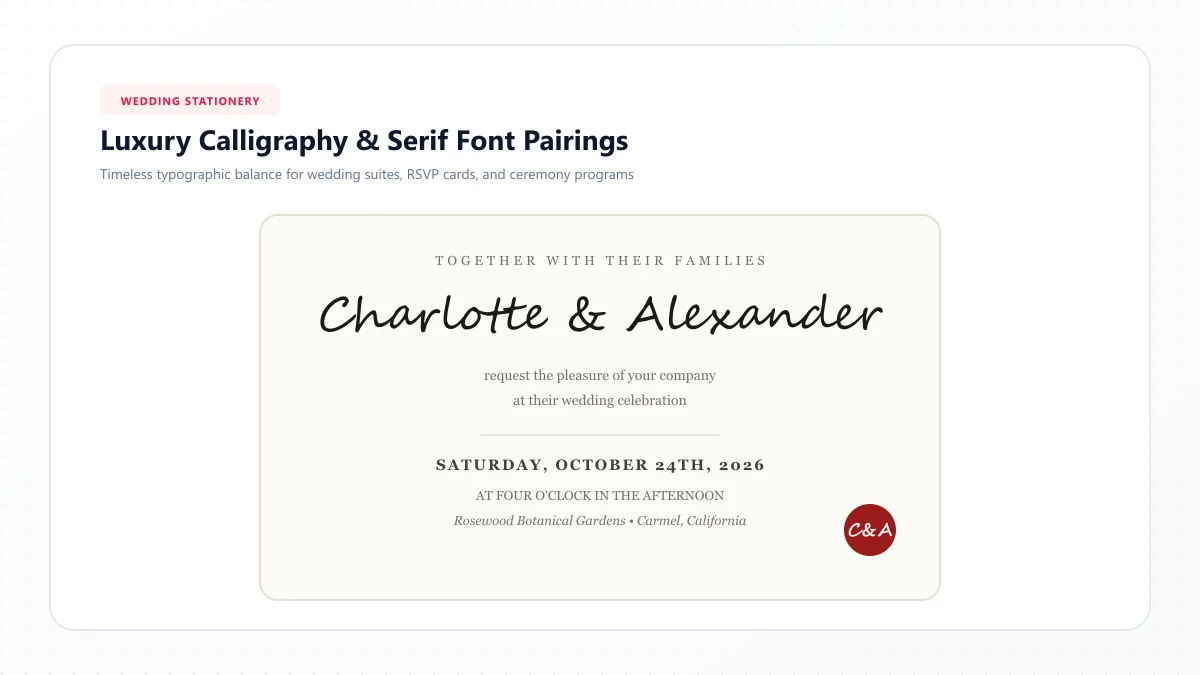
For example, imagine a wedding invitation with the couple's names displayed prominently in Edwardian Script ITC.
The lettering becomes a focal point without requiring elaborate surrounding decorations.
However, this font is less suitable for long paragraphs.
Its intricate shapes are most effective when used at larger sizes.
Design tip: Use it for names, titles, or short decorative phrases rather than detailed event information.
3. Brush Script MT
Best for: Greeting cards, creative posters, and casual invitations.
Brush Script MT offers a lively handwritten appearance inspired by brush lettering.
Its strokes are more expressive than those of many conventional script fonts.
The letters feel energetic, giving the typeface a friendly, informal personality.
This makes it useful for cheerful designs rather than highly formal documents.
Consider using it for:
- Birthday card headings
- Creative announcements
- Personal stationery
- Decorative quotations
- Event posters
Although Brush Script MT is distinctive, it can become visually overwhelming when used too frequently.
Design tip: Use it for one prominent phrase and keep the surrounding text simple.
4. Monotype Corsiva
Best for: Invitations, formal notes, and elegant quotations.
Monotype Corsiva has a classic italic calligraphy appearance.
Its graceful letterforms offer a traditional style that feels refined without being excessively dramatic.
Compared with heavily ornamented scripts, Monotype Corsiva can be a more restrained choice.
It works particularly well for short passages where you want to suggest handwriting while preserving a formal appearance.
You might choose it for:
- Invitations
- Thank-you notes
- Personal messages
- Decorative headings
- Short quotations
Its moderate ornamentation makes it a useful middle ground between plain italics and elaborate calligraphy.
Design tip: Try it with a larger font size and generous line spacing for a clean, elegant presentation.
5. Lucida Handwriting
Best for: Personal letters, scrapbook projects, and handwritten-style headings.
Lucida Handwriting has a distinctive handwritten personality.
Its rounded, expressive letterforms are less formal than traditional calligraphy scripts.
The font can make digital text feel warmer and more personal.
It is especially useful when you want a handwritten appearance without creating the impression of an expensive formal invitation.
For example, it can work nicely on a scrapbook cover, a short personal note, or a creative classroom project.
Because its letter shapes are distinctive, it is worth checking readability at smaller sizes.
Design tip: Use Lucida Handwriting for headings or brief passages and avoid squeezing the letters into narrow text boxes.
6. French Script MT
Best for: Romantic invitations, decorative stationery, and formal announcements.
French Script MT offers an ornate appearance inspired by traditional European calligraphy.
Its flowing strokes and elegant details create a delicate, refined impression.
If you're preparing an anniversary invitation or a formal celebration announcement, this typeface can help establish an appropriate mood.
It works especially well when paired with understated colors and generous white space.
However, detailed strokes may become difficult to distinguish at small sizes.
Design tip: Use French Script MT for prominent names or titles and select a simpler font for dates, addresses, and instructions.
7. Freestyle Script
Best for: Informal invitations, creative titles, and greeting cards.
Freestyle Script has a playful, free-flowing appearance.
Its letters resemble expressive handwriting, giving the font a relaxed personality.
Unlike highly formal scripts, it does not demand an elegant or traditional setting.
It can fit naturally into casual celebrations, craft projects, and cheerful designs.
For instance, a birthday card with a large Freestyle Script heading can feel friendly and inviting.
Design tip: Pair it with a clean sans-serif font to balance its expressive lettering.
8. Kunstler Script
Best for: Formal certificates, elegant stationery, and classic invitations.
Kunstler Script takes inspiration from traditional copperplate-style lettering.
It features fine details and a refined calligraphic appearance.
This makes it suitable for projects where a sense of tradition and elegance matters.
A certificate heading or formal announcement can benefit from its ornamental character.
The delicate details are part of its appeal, but they also mean the font requires careful sizing.
At small sizes, some strokes may lose clarity.
Design tip: Give Kunstler Script enough space to breathe. Large headings and uncluttered layouts work particularly well.
9. Vivaldi
Best for: Formal headings, decorative names, and artistic invitations.
Vivaldi is a decorative script font with expressive flourishes.
Its ornate capital letters make it particularly effective for short pieces of display text.
A single word or name can become the centerpiece of a document when styled in Vivaldi.
The font can work beautifully on invitations, formal menus, and creative covers.
However, its elaborate details make it less practical for everyday writing.
Design tip: Use Vivaldi for short headings rather than paragraphs, and avoid combining it with other highly decorative fonts.
10. Vladimir Script
Best for: Artistic titles, elegant greetings, and decorative quotations.
Vladimir Script offers flowing letterforms with a graceful, expressive appearance.
It can make a simple phrase feel more artistic.
Its distinctive curves are particularly attractive in larger titles.
You might use it on an invitation cover, decorative letter, or appreciation certificate.
Like many ornamental scripts, it is best used sparingly.
Design tip: Keep the background simple so the lettering remains the focus.
11. Blackadder ITC
Best for: Vintage designs, themed invitations, and dramatic headings.
Blackadder ITC has a distinctive historical appearance.
Its unusual letter shapes and decorative details make it stand apart from everyday cursive fonts.
Rather than looking like modern handwriting, it creates an old-fashioned, theatrical impression.
This can be useful for themed invitations, creative projects, or vintage-style artwork.
However, Blackadder ITC is not a good choice when straightforward readability is the main priority.
Design tip: Reserve it for a few prominent words and use a more readable font for supporting information.
12. Bradley Hand ITC
Best for: Friendly notes, school projects, and casual letters.
Bradley Hand ITC takes a more relaxed approach to handwritten typography.
Its letters imitate informal handwriting rather than traditional joined calligraphy.
This makes it useful for creative projects that should feel approachable and personal.
For example, a thank-you card or classroom worksheet can feel less rigid when using a friendly handwriting font.
Bradley Hand ITC also offers a useful alternative when formal script fonts feel too sophisticated.
Design tip: Combine it with soft colors and simple layouts for an informal, welcoming appearance.
13. Gabriola
Best for: Elegant headings, invitations, and creative document titles.
Gabriola is a sophisticated typeface with calligraphic influences.
It combines graceful letterforms with a relatively restrained appearance.
One of its notable characteristics is support for advanced typographic features, including stylistic alternatives and flourishes in compatible applications.
The available effects depend on the software and font version.
Gabriola can work particularly well in decorative titles where you want elegance without excessive ornamentation.
Design tip: Experiment with Word's advanced font settings, where supported, and preview the result before using decorative alternatives.
14. Palace Script MT
Best for: Formal invitations, delicate names, and traditional stationery.
Palace Script MT features slender, flowing lettering inspired by elegant handwriting.
Its fine strokes can give invitations and announcements a refined, understated appearance.
It is particularly effective when the surrounding design is minimal.
A simple name in Palace Script MT can create a sophisticated effect without additional decoration.
However, the delicate lettering requires careful attention to size and contrast.
Design tip: Avoid very light text colors and small font sizes, especially when preparing printed documents.
15. Script MT Bold
Best for: Readable decorative headings, greeting cards, and informal designs.
Script MT Bold offers a more substantial script appearance.
Its heavier strokes give it a stronger presence than delicate calligraphy fonts.
This makes it a useful option when you want a decorative heading that remains visually prominent.
It can work well for invitations, cards, and creative document titles.
Compared with very thin scripts, its bolder appearance may hold up better at moderate sizes.
Design tip: Use it for short headings and maintain a clear visual contrast with the body text.
Quick Comparison of the 15 Cursive Fonts
Choosing the right font becomes easier when you compare the available styles.
| Font | Appearance | Best Use |
|---|---|---|
| Segoe Script | Natural connected handwriting | Personal notes |
| Edwardian Script ITC | Elegant formal calligraphy | Wedding invitations |
| Brush Script MT | Expressive brush lettering | Greeting cards |
| Monotype Corsiva | Traditional italic script | Formal notes |
| Lucida Handwriting | Rounded handwriting | Creative projects |
| French Script MT | Ornamental calligraphy | Romantic invitations |
| Freestyle Script | Casual, lively lettering | Informal headings |
| Kunstler Script | Delicate copperplate style | Certificates |
| Vivaldi | Decorative flourishing script | Artistic titles |
| Vladimir Script | Flowing ornamental lettering | Elegant greetings |
| Blackadder ITC | Historical decorative lettering | Vintage designs |
| Bradley Hand ITC | Relaxed handwritten style | Personal letters |
| Gabriola | Refined calligraphic style | Professional invitations |
| Palace Script MT | Delicate formal handwriting | Traditional stationery |
| Script MT Bold | Bold script lettering | Display headings |
There is no single font that works best for every project.
The ideal choice depends on the message, the audience, and how the document will be viewed.
How to Find Cursive Fonts in Microsoft Word
Before downloading additional fonts, check which script styles are already available on your computer.
You may have several attractive choices ready to use.
Step 1: Open Microsoft Word
Launch Microsoft Word and create a blank document.
You can also open an existing document if you want to update its appearance.
Step 2: Type Your Text
Enter the heading, name, or phrase you want to format.
For example:
The Beginning of Something Beautiful
Step 3: Select Your Text
Highlight the words you want to change.
This ensures that the selected font applies to the correct portion of your document.
Step 4: Open the Font Menu
Go to the Home tab and locate the font dropdown.
Depending on your Word version, you may see a searchable list of available fonts.
Step 5: Search for a Script Font
Type the name of a font, such as Segoe Script or Edwardian Script ITC.
If it is available, select it from the list.
The appearance of your highlighted text should change.
Step 6: Adjust the Formatting
Experiment with font size, alignment, color, and spacing.
A script font often looks better in a larger heading than in an ordinary paragraph.
Try several options until you find a combination that looks attractive and remains readable.
How to Download and Install Cursive Fonts in Microsoft Word
What if the font you want is not listed?
Microsoft Word can use many custom fonts installed on your operating system.
You do not usually install these fonts directly inside Word. Instead, you install them in Windows or macOS.
How to Install Fonts on Windows 10 or Windows 11
- Find a trustworthy website offering the font you want.
- Download the font file and check its license.
- If the download is a ZIP archive, extract the files.
- Locate the .ttf or .otf font file.
- Double-click the file to preview it.
- Click Install.
- Close and reopen Microsoft Word if it was running.
- Search for the new font in the Word font menu.
Once installed correctly, the font should normally become available in compatible desktop applications.
How to Install Fonts on a Mac
- Download the desired font from a trusted source.
- Extract the downloaded archive if necessary.
- Open the .ttf or .otf font file.
- Use Font Book to install the font.
- Reopen Microsoft Word.
- Search for your installed font.
The exact interface can vary depending on your macOS version.
For detailed installation instructions, refer to Microsoft's official guide to installing custom fonts.
Where Can You Find Additional Cursive Fonts?
If your existing collection doesn't contain the style you want, you can explore reputable font libraries.
Google Fonts is one useful option for finding script and handwriting typefaces.
For example, you might explore:
- Dancing Script
- Great Vibes
- Pacifico
- Allura
- Sacramento
These are additional downloadable font options, not a promise that every one is already included with Microsoft Word.
Always review a font's license before using it commercially.
Which Cursive Font Is Best for Different Projects?
Different projects call for different styles.
A beautiful wedding font might be unsuitable for a classroom worksheet, and a playful handwriting font may feel too casual for a formal certificate.
Here are some practical recommendations.
Best Cursive Font for Wedding Invitations
Recommended: Edwardian Script ITC or French Script MT.
Both offer an elegant calligraphic appearance.
They work particularly well for the couple's names, invitation headings, and short decorative phrases.
For supporting details such as the venue, date, and time, choose a readable font.
If you want additional inspiration, explore our guide to best wedding invitation fonts.
Best Cursive Font for Signatures
Recommended: Segoe Script or Gabriola.
Both can create attractive signature-style lettering.
You can type your name, adjust the size, and experiment with different styles until you find one you like.
For more decorative name ideas, try our Cursive Signature Generator.
Remember that a name displayed in a script font is not automatically a legally valid digital signature.
Best Cursive Font for Certificates
Recommended: Kunstler Script or Edwardian Script ITC.
These fonts offer the formal appearance often associated with recognition certificates.
Use the decorative font for the recipient's name or the certificate heading.
Keep the explanatory text clear and easy to read.
Best Cursive Font for Personal Letters
Recommended: Segoe Script or Bradley Hand ITC.
These fonts help create a warm, personal tone.
They are less formal than elaborate calligraphy typefaces and are suitable for friendly communication.
For longer letters, compare the readability of the script font with a conventional body font before committing to the entire document.
Best Cursive Font for Greeting Cards
Recommended: Brush Script MT or Freestyle Script.
These expressive styles are useful for birthdays, congratulations, and casual celebrations.
They can help a short message stand out without making the design overly formal.
Best Cursive Font for Professional Documents
Recommended: Monotype Corsiva or Gabriola, used selectively.
For professional documents, decorative fonts should generally be limited to appropriate headings or small design elements.
Contracts, resumes, detailed reports, and formal correspondence usually benefit from straightforward fonts that prioritize readability.
How to Create a Handwritten Signature in Microsoft Word
If you want to make your typed name look more personal, a script font can provide a convenient visual effect.
Here's a simple method.
- Open Microsoft Word.
- Type your name.
- Highlight the text.
- Choose a suitable script font.
- Increase the font size to make the lettering clear.
- Experiment with a dark blue, black, or another appropriate color.
- Position the name where you want it to appear.
For example:
Name: Alexander Williams
Suggested font: Segoe Script
Suggested size: 28 pt
You can adjust the settings to suit your document.
If you want to explore alternative lettering styles, visit our Cursive Name Generator.
For documents requiring a legally recognized signature, use an appropriate electronic signature process rather than relying only on decorative typography.
Can You Copy and Paste Cursive Text into Microsoft Word?
Yes.
Apart from installing script fonts, you can also use decorative Unicode characters in Word.
For example:
Normal text: Beautiful Day
Unicode cursive: 𝓑𝓮𝓪𝓾𝓽𝓲𝓯𝓾𝓵 𝓓𝓪𝔂
You can create this type of text using our free Cursive Text Generator.
How to Use It
- Open the Cursive Text Generator.
- Enter a name, heading, or short phrase.
- Explore the available decorative styles.
- Copy your preferred version.
- Open Microsoft Word.
- Paste the text into your document.
- Check that the characters display correctly.
This method is useful for short decorative phrases.
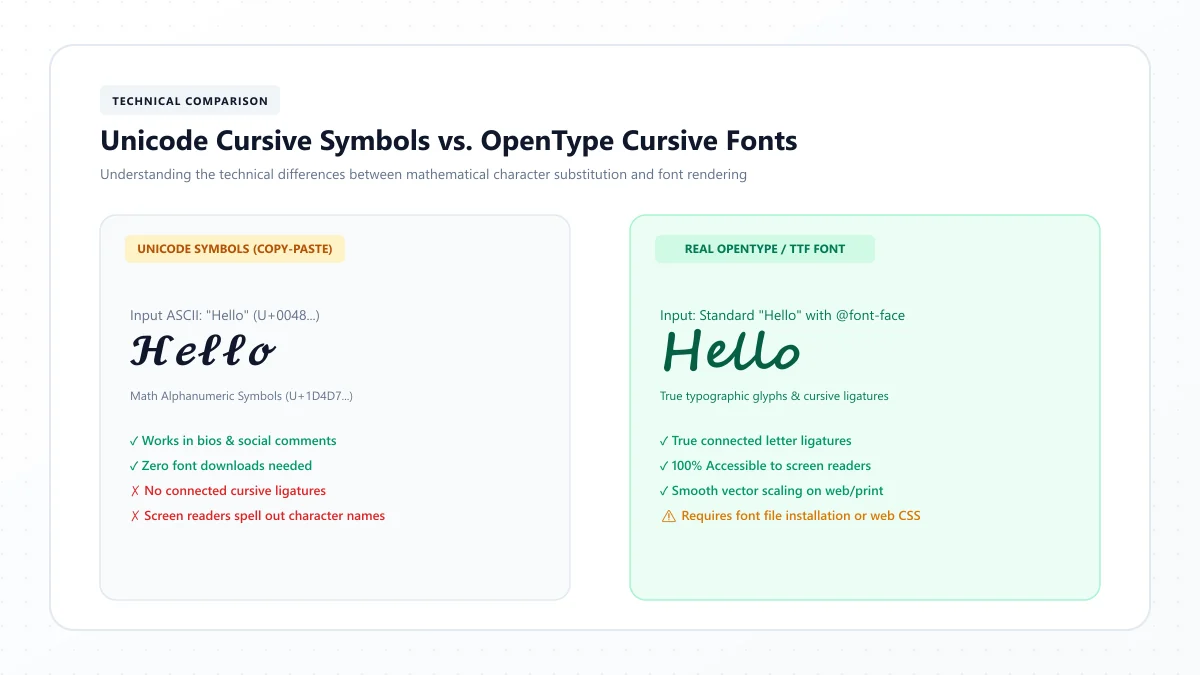
However, there is a difference between Unicode cursive text and a conventional installed font.
A regular font changes the appearance of ordinary letters.
Unicode styled text uses special characters that already have a decorative appearance.
These characters may not display consistently on every device, and they can create accessibility problems for screen readers.
For longer documents, conventional script fonts are generally more suitable.
You can read more in our guide to Unicode cursive vs. real cursive fonts.
Why Is My Cursive Font Not Showing in Microsoft Word?
Sometimes a script font doesn't appear in the dropdown menu, even after installation.
This can be frustrating, especially when you're working on an important document.
Fortunately, several common causes are easy to investigate.
1. The Font Was Not Installed Correctly
Downloading a font does not automatically install it.
Make sure you've opened the font file and completed the installation process.
On Windows, you can check the installed font collection in Settings > Personalization > Fonts.
2. Microsoft Word Needs to Be Restarted
If Word was already open when you installed the font, close it completely and reopen it.
Then search for the typeface again.
3. The Font File Is Incompatible or Damaged
Most standard TrueType and OpenType fonts can work with desktop versions of Word.
However, an incomplete or damaged file may fail to install or function correctly.
Download the font again from a trusted source if necessary.
4. You're Using Word in a Web Browser
Word for the web doesn't provide the same font management capabilities as the desktop application.
A font installed on your computer may not be available as an editable choice in the browser version.
If a specific locally installed typeface is essential, use a compatible desktop version of Microsoft Word.
5. The Font Is Missing on Another Computer
A font that displays correctly on your computer may be unavailable on someone else's device.
The other person's application may substitute another typeface, potentially changing the layout.
If preserving the design is important, consider exporting the document as a PDF.
You can also investigate Word's font embedding options where supported and permitted by the font license.
How to Save a Word Document Without Losing Its Cursive Font
Imagine spending time creating an elegant invitation, only to discover that the lettering looks different when someone else opens it.
This can happen when the recipient doesn't have the same font installed.
There are two practical approaches.
Option 1: Save the Document as a PDF
For invitations, certificates, and other documents intended primarily for viewing or printing, PDF is often the easiest solution.
To create one in Word:
- Open your completed document.
- Choose File.
- Select the relevant Save As or Export option.
- Choose PDF as the file format.
- Save the document.
- Open the PDF and review the appearance.
A properly exported PDF generally preserves the intended layout more reliably across devices.
Option 2: Embed Fonts in the Word File
Compatible desktop versions of Word include an option to embed fonts in the document.
On supported Windows versions, you can usually find this through:
File > Options > Save > Embed fonts in the file
Font embedding depends on application support and the font's licensing permissions.
Not every font can be embedded.
If someone needs to edit the document using the same special font, check these limitations before sharing it.
Tips for Making Cursive Fonts Look Professional
Choosing a font is only part of creating a beautiful document.
The final appearance also depends on spacing, contrast, formatting, and the overall layout.
Keep Your Font Choices Simple
Avoid mixing several decorative script fonts in one document.
In most cases, one cursive font and one standard font are enough.
For example:
Heading: Edwardian Script ITC
Body text: Aptos
This creates visual contrast while keeping the document organized.
Choose a Readable Font Size
Decorative fonts often have thinner strokes or more complicated letter shapes.
A size that works for Arial may be too small for elegant calligraphy.
Preview your design at the size it will actually be viewed or printed.
Use Enough White Space
A decorative title looks better when it isn't surrounded by crowded text.
Give headings room above and below them.
For formal invitations, a clean layout can make even a simple script font look sophisticated.
Avoid Long Paragraphs in Highly Decorative Fonts
A few beautiful words can make a strong visual impression.
Several pages of elaborate script can become exhausting to read.
Use decorative fonts where they have a clear purpose.
Check Capital Letters Carefully
Many calligraphy fonts have ornamental uppercase letters.
Some may extend beyond their usual text boundaries or sit close to surrounding letters.
Review capitalized names and headings to ensure the layout looks balanced.
Always Preview Before Printing
Print appearance can differ from what you see on screen.
Check your document's margins, font size, contrast, and spacing.
If you're designing an invitation or certificate, consider printing a sample before producing multiple copies.
Frequently Asked Questions
What is the best cursive font in Microsoft Word?
Segoe Script is a versatile choice for natural handwriting. Edwardian Script ITC is better suited to formal calligraphy, while Brush Script MT works well for expressive, casual designs. The best option depends on your project.
Does Microsoft Word have cursive fonts?
Yes. Microsoft Word can use script and handwriting fonts available through Office, your operating system, or additional installations. The exact collection varies by platform and version.
What Microsoft Word font looks like real handwriting?
Segoe Script, Bradley Hand ITC, and Lucida Handwriting are good options to explore. Each creates a different handwritten impression, ranging from connected cursive to informal lettering.
What is the most elegant cursive font in Word?
Edwardian Script ITC, Kunstler Script, and Palace Script MT are elegant options for formal invitations and decorative headings. Their refined letterforms are particularly effective at larger sizes.
Which cursive font is best for a signature in Word?
Segoe Script and Gabriola are worth trying for signature-style names. You can also explore decorative options with a cursive name or signature generator. For official signing, follow the required electronic signature procedure.
How do I install a new cursive font in Microsoft Word?
Download a compatible .ttf or .otf font from a trusted source, install it through Windows or macOS, and reopen Word. The font should then appear in the desktop application's font list if installation was successful.
Are cursive fonts free to use in Microsoft Word?
Many script fonts are included with supported Microsoft products, and some downloadable fonts are available under free licenses. However, availability and usage rights vary. Check the license before using a font for commercial projects.
Can I use cursive fonts in Word Online?
Word for the web offers font choices, including some cloud-based fonts, but it does not work exactly like the desktop version. Locally installed fonts may not be available for selection in the browser interface.
How do I make my entire Word document cursive?
Select the text using Ctrl + A on Windows or Command + A on Mac, then choose a cursive font from the font dropdown. For long documents, consider keeping body text in a more readable typeface.
Why does my cursive font change when I send a Word document?
The recipient may not have the same font installed, causing their application to substitute another typeface. Saving the finished design as a PDF can help preserve its visual appearance.
Final Thoughts
The right cursive font can make a Microsoft Word document feel more thoughtful, elegant, and visually appealing.
Whether you're preparing a wedding invitation, creating a certificate, designing a greeting card, or adding a personal touch to a letter, there are plenty of beautiful options to explore.
For natural handwriting, start with Segoe Script.
For formal occasions, consider Edwardian Script ITC or Kunstler Script.
For cheerful, creative projects, try Brush Script MT or Freestyle Script.
And if you prefer something simple and personal, Bradley Hand ITC may be a suitable choice.
Remember that good typography isn't only about choosing an attractive font. Readability, layout, contrast, and spacing are just as important.
Experiment with several styles and select the one that makes your message feel natural.
If you'd like to explore even more beautiful lettering styles, visit our free Cursive Text Generator. You can create decorative names, headings, and short phrases that are ready to copy and paste into your favorite applications.
References and further reading
These links are provided for further reading. External websites and information may change.