Have you ever received a WhatsApp message with beautiful, flowing letters and wondered how the sender created them?
Maybe you want your name to look more elegant, your WhatsApp About section to feel more personal, or a birthday message to stand out from an ordinary conversation. Cursive lettering can add a thoughtful touch to all these situations.
WhatsApp offers a few built-in text formatting options, but it does not include a dedicated cursive font button. That doesn't mean you need to install complicated software or change your phone's keyboard.
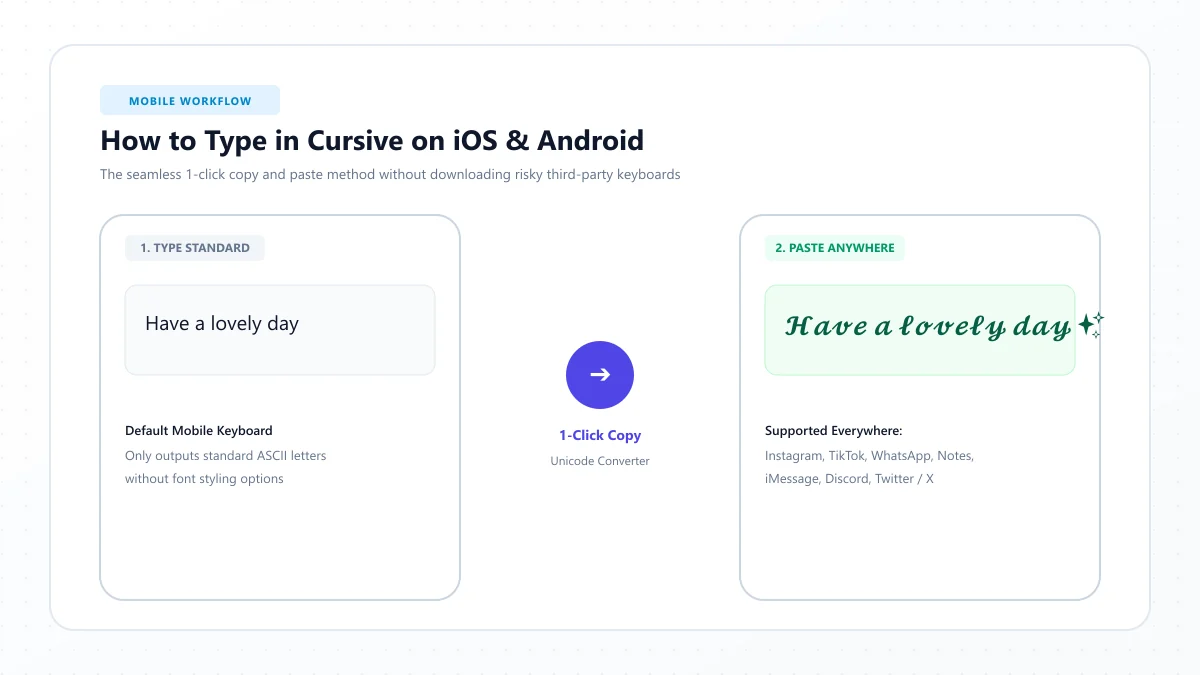
The easiest way to write in cursive on WhatsApp is to use a Unicode cursive text generator, copy your preferred style, and paste it into WhatsApp.
In this guide, you'll learn how to create cursive messages on Android, iPhone, and WhatsApp Web. We'll also explore stylish text ideas, profile customization, common formatting problems, and the difference between real cursive fonts and WhatsApp's built-in formatting.
Can You Write in Cursive on WhatsApp?
Yes, you can send cursive-looking text in WhatsApp messages and use compatible decorative characters in certain profile fields.
However, there is an important difference between changing a font and using special characters.
WhatsApp does not provide a built-in font library where you can select a traditional script typeface such as Dancing Script or Great Vibes for your messages.
Instead, you can create a similar appearance using Unicode characters.
For example:
Normal text: Hello Beautiful
Cursive-style text: 𝓗𝓮𝓵𝓵𝓸 𝓑𝓮𝓪𝓾𝓽𝓲𝓯𝓾𝓵
The second example contains decorative Unicode characters that resemble cursive handwriting.
Because the appearance comes from the characters themselves, you can often copy and paste them into different applications without installing a new font.
You can use this approach for:
- Personal WhatsApp conversations
- Birthday and anniversary wishes
- Romantic messages and short quotations
- WhatsApp profile names
- About section descriptions
- Group descriptions and announcements
- Short decorative status captions, where supported
Some characters may display differently depending on the device, operating system, or application version.
For that reason, it's best to preview your text before using it in important messages.
How to Write in Cursive on WhatsApp Using a Text Generator
If you want flowing, handwritten-looking letters without installing additional applications, an online generator is a convenient option.
The process only takes a few steps.
Step 1: Open a Cursive Text Generator
Open your phone's browser and visit the free Cursive Text Generator.
The tool helps turn ordinary letters into decorative Unicode text that you can copy and use elsewhere.
You don't need to learn a special keyboard layout or memorize unusual symbols.
Step 2: Enter Your Text
Type the message, name, or phrase you want to customize.
For example:
You Make Every Day Special
As you enter the text, explore the available styles.
Some may look formal and decorative, while others have a lighter, handwritten appearance.
Choose a style that suits the message you're sending.
For romantic wishes, an elegant script may work nicely. For a casual conversation, a simpler style will usually be easier to read.
Step 3: Copy Your Favorite Cursive Style
Once you've found a design you like, use the tool's copy function.
Your selected decorative characters will be copied to your device's clipboard.
You can also experiment with different versions of the same phrase before choosing one.
Remember that a beautiful design isn't always the most readable option.
If the letters are difficult to recognize, select a simpler style.
Step 4: Open WhatsApp
Launch WhatsApp on your Android phone or iPhone.
Open the conversation where you want to use your cursive message.
Tap the message field to place your cursor.
Step 5: Paste Your Cursive Text
Press and hold inside the message field, then choose Paste.
Your decorative text should appear in the message box.
For example:
𝓗𝓪𝓿𝓮 𝓪 𝓦𝓸𝓷𝓭𝓮𝓻𝓯𝓾𝓵 𝓓𝓪𝔂
Check the message before sending it.
If all the characters appear correctly, tap the send button.
That's it. You've created a cursive-style WhatsApp message without changing your phone's system font.
How to Write in Cursive on WhatsApp on Android
Android users can create decorative WhatsApp messages directly from a mobile browser.
You do not need to root your phone or modify any system settings.
Here's how:
- Open Chrome or your preferred browser.
- Visit CursiveText Generator.
- Enter the message you want to style.
- Select a readable cursive design.
- Copy the generated text.
- Open WhatsApp and choose a conversation.
- Press and hold the message field, then select Paste.
- Review the text and send it.
Can You Change the Default WhatsApp Font on Android?
Changing the text style of a particular message is different from replacing the default font used throughout WhatsApp.
Some Android phones offer system-level font customization, but these changes depend on the device manufacturer and software version.
They do not give you a reliable way to make every outgoing WhatsApp message appear in a custom cursive font.
If your goal is to send a stylish message that another person can see, copying compatible Unicode text is usually the more practical method.
How to Write in Cursive on WhatsApp on iPhone
The same basic method works on iPhone.
You don't need to install a third-party keyboard or change your iOS settings.
Follow these steps:
- Open Safari on your iPhone.
- Go to the Cursive Text Generator.
- Type the words you want to customize.
- Browse the available lettering styles.
- Tap the copy option for your preferred style.
- Open WhatsApp.
- Select the conversation where you want to send the message.
- Tap and hold the message field, then choose Paste.
- Check the appearance and send your text.
If the Paste option doesn't appear immediately, tap the message field again or use the available iOS editing controls.
Do You Need a Cursive Keyboard for iPhone?
No.
A special keyboard isn't necessary if you only want to send occasional decorative messages.
Using an online text generator is convenient because you can create your message in the browser and paste it directly into WhatsApp.
It also avoids granting unnecessary keyboard permissions to an unfamiliar third-party application.
For everyday conversations, your normal iPhone keyboard remains the simplest choice.
How to Use Cursive Text on WhatsApp Web
You can also send decorative messages from a laptop or desktop computer.
This can be useful when you're preparing longer birthday wishes, event announcements, or personalized greetings.
Step 1: Open WhatsApp Web
Visit WhatsApp Web and connect your account if necessary.
Step 2: Generate Your Text
Open CursiveText Generator in another browser tab.
Enter your message and select the style you want.
Step 3: Copy the Text
Copy your preferred version.
On Windows, you can use Ctrl + C to copy selected text.
On a Mac, use Command + C.
Step 4: Paste It into WhatsApp
Return to WhatsApp Web and open the conversation.
Click the message field and paste your text using Ctrl + V or Command + V.
Review the result before sending.
This approach works without installing special fonts on your computer because you're pasting Unicode characters rather than applying a traditional font file.
How to Make Your WhatsApp Name Look Cursive
Your WhatsApp profile name is a small detail, but it can help give your profile a more personal appearance.
You might prefer an elegant handwritten name, especially if you enjoy creative typography.
Here's how to try it.
Step 1: Create Your Cursive Name
Open the Cursive Name Generator.
Enter your first name, nickname, or another short phrase.
Choose a clear and attractive style, then copy it.
Step 2: Open WhatsApp Settings
On Android, open WhatsApp and use its settings menu.
On iPhone, open the Settings area in WhatsApp.
The exact location and appearance of these controls can vary with the app version.
Step 3: Edit Your Profile Name
Open your profile information and select the option to edit your name.
Remove the existing text if you want to replace it.
Paste your decorative name into the field.
Step 4: Save Your Changes
Save the profile information.
If WhatsApp accepts the characters and the name meets its length requirements, your updated profile name should appear.
Tip: Keep your name recognizable. Excessively decorative characters can make it harder for friends, family members, and new contacts to identify you.
How to Add Cursive Text to Your WhatsApp About Section
The WhatsApp About section is another place where a short decorative phrase can add personality.
You could use a motivational quote, a simple greeting, or a meaningful expression.
For example:
Normal text: Enjoy the little things
Cursive text: 𝓔𝓷𝓳𝓸𝔂 𝓽𝓱𝓮 𝓵𝓲𝓽𝓽𝓵𝓮 𝓽𝓱𝓲𝓷𝓰𝓼
To customize your About text:
- Create a short cursive phrase using the generator.
- Copy the text.
- Open WhatsApp Settings.
- Navigate to your profile's About section.
- Choose the option to edit your About text.
- Paste your decorative phrase.
- Save the changes if the characters are accepted.
Keep the message short because profile fields have character limits.
It is also worth checking that your text is understandable without relying on its decorative appearance.
A good About message should communicate something meaningful, not just look unusual.
Can You Use Cursive Text in WhatsApp Status?
WhatsApp Status lets you share updates with your contacts, including text-based updates.
If you want a decorative phrase, you can try pasting Unicode cursive text into a text status.
For example:
𝓢𝓶𝓲𝓵𝓮 𝓜𝓸𝓻𝓮
𝓑𝓮 𝓚𝓲𝓷𝓭
𝓔𝓷𝓳𝓸𝔂 𝓣𝓸𝓭𝓪𝔂
To create one:
- Generate your preferred cursive phrase.
- Copy the text.
- Open WhatsApp's Updates or Status section.
- Start a new text status.
- Paste your message.
- Preview its appearance.
- Share it if everything looks correct.
WhatsApp's interface and supported formatting options can change, so test the pasted text before posting.
If a decorative character doesn't display correctly, choose another style or use standard lettering.
WhatsApp Cursive Text Examples You Can Copy
Not sure what to write?
Here are a few ready-made examples for different situations.
Cute Cursive Messages
Good Morning
𝓖𝓸𝓸𝓭 𝓜𝓸𝓻𝓷𝓲𝓷𝓰
Hello Beautiful
𝓗𝓮𝓵𝓵𝓸 𝓑𝓮𝓪𝓾𝓽𝓲𝓯𝓾𝓵
Stay Happy
𝓢𝓽𝓪𝔂 𝓗𝓪𝓹𝓹𝔂
Romantic Cursive Messages
I Love You
𝓘 𝓛𝓸𝓿𝓮 𝓨𝓸𝓾
Forever and Always
𝓕𝓸𝓻𝓮𝓿𝓮𝓻 𝓪𝓷𝓭 𝓐𝓵𝔀𝓪𝔂𝓼
You Are My Sunshine
𝓨𝓸𝓾 𝓐𝓻𝓮 𝓜𝔂 𝓢𝓾𝓷𝓼𝓱𝓲𝓷𝓮
Inspirational Cursive Messages
Dream Big
𝓓𝓻𝓮𝓪𝓶 𝓑𝓲𝓰
Believe in Yourself
𝓑𝓮𝓵𝓲𝓮𝓿𝓮 𝓲𝓷 𝓨𝓸𝓾𝓻𝓼𝓮𝓵𝓯
Never Give Up
𝓝𝓮𝓿𝓮𝓻 𝓖𝓲𝓿𝓮 𝓤𝓹
These examples are useful for short messages, but they may not appear identically on every device.
For personalized names, longer phrases, or alternative lettering styles, use the generator to create your own text.
Cursive Text vs. WhatsApp's Built-In Formatting
One common misconception is that WhatsApp's italic formatting is the same as cursive writing.
It isn't.
Italic text usually tilts ordinary letters, while cursive lettering is designed to resemble flowing or connected handwriting.
WhatsApp has several built-in text formatting options that can make messages easier to organize and emphasize.
| Formatting Style | What to Type | Purpose |
|---|---|---|
| Bold | *Hello* | Emphasize important words |
| Italic | _Hello_ | Add subtle emphasis |
| Strikethrough | ~Hello~ | Show crossed-out text |
| Monospace | Three backticks before and after the text | Display fixed-width characters |
| Inline code | One backtick before and after the text | Highlight a short code-like phrase |
WhatsApp also documents formatting for numbered lists, bulleted lists, and quotations.
These tools are useful when writing everyday messages, announcements, instructions, or business information.
However, they don't create the decorative handwriting effect that many people associate with cursive.
If you want a flowing script appearance, Unicode cursive is a different option.
For the latest supported formatting methods, you can refer to the official WhatsApp Help Center.
Why Does Cursive Text Look Different on Some Phones?
Have you ever pasted fancy text into WhatsApp and noticed that it looks different from the original preview?
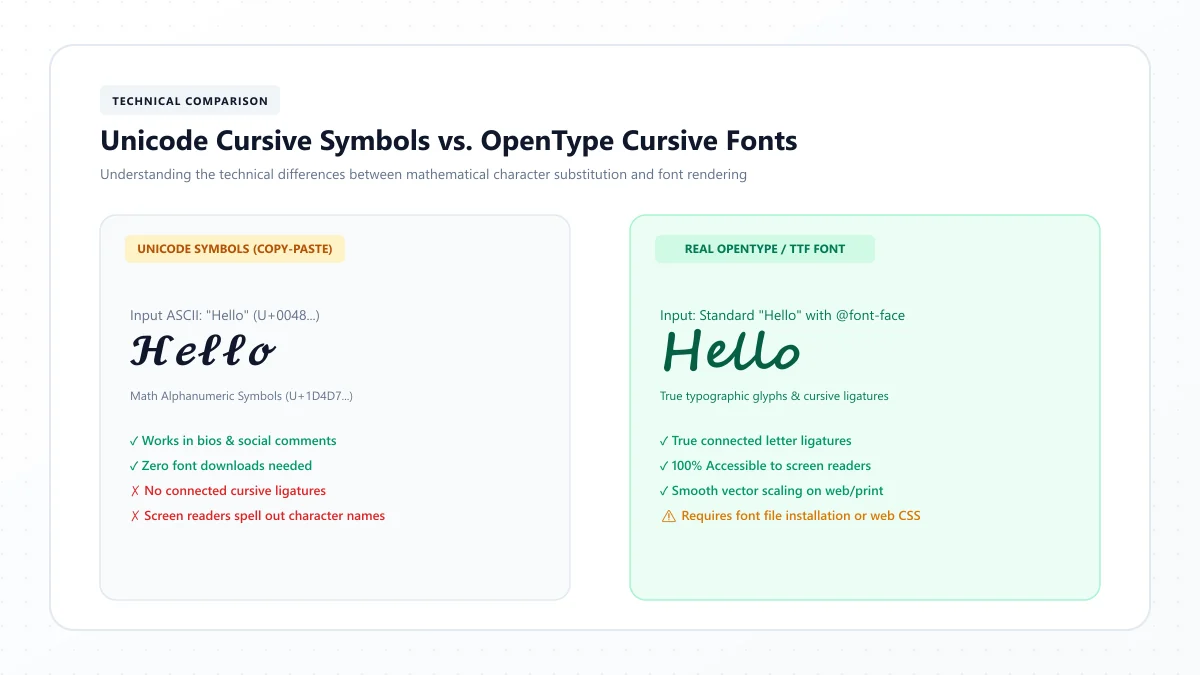
This can happen because Unicode characters depend on the fonts and rendering support available on the device.
When you copy decorative text from a generator, you're not sending a font file.
You're sending actual characters that the receiving device must display.
If the recipient's device uses a different font or lacks support for certain characters, the appearance may change.
Here are a few common problems and ways to address them.
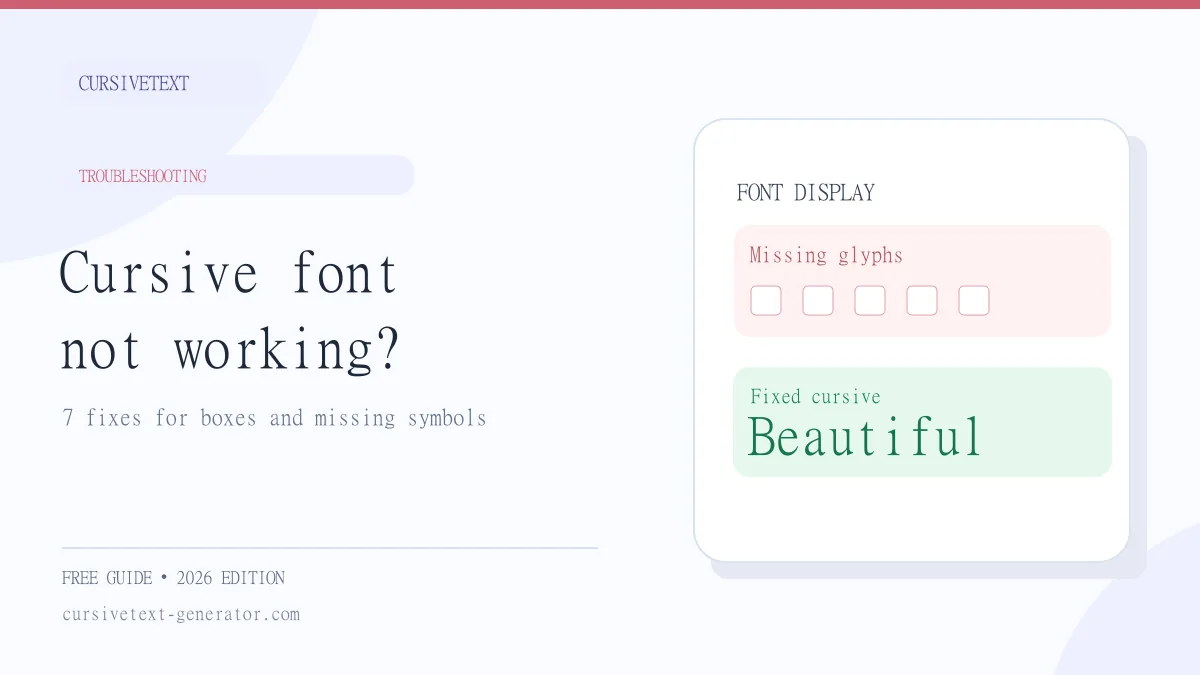
Problem 1: Cursive Letters Appear as Boxes
Some devices may display empty squares or replacement symbols instead of the intended characters.
What to do: Try a different cursive style, use fewer decorative characters, or switch back to ordinary letters for important information.
Problem 2: The Text Is Hard to Read
Certain Unicode lettering styles are visually elaborate.
They may look attractive in a preview but become difficult to recognize in a small chat bubble.
What to do: Choose a simpler style and reserve decorative text for short phrases.
Problem 3: The Generator Text Won't Paste
Occasionally, a clipboard permission, browser issue, or temporary application problem can interrupt copying and pasting.
What to do: Try copying the text again, check whether normal text can be pasted, and reopen the relevant application if necessary.
Problem 4: The Profile Name Isn't Accepted
WhatsApp may reject text that exceeds a field's character limit or contains unsupported characters.
What to do: Shorten the name, remove unusual symbols, or try a different lettering style.
Problem 5: The Text Looks Different After Sending
The recipient's phone may render certain characters differently.
What to do: Send a short test message to someone you know or check the text using another device before relying on it for important communication.
For a deeper explanation of these differences, read our guide to Unicode cursive vs. real cursive fonts.
Is It Safe to Use a Cursive Text Generator for WhatsApp?
Using a reputable text generator to create decorative characters is generally a straightforward way to customize a message.
However, it is sensible to be careful about which websites and applications you use.
For example, avoid entering sensitive personal information into unfamiliar online tools.
You should not need to provide your WhatsApp password, verification code, or account credentials simply to create fancy text.
Be cautious if a third-party application asks for access to your messages, contacts, or other information unrelated to text styling.
A simple browser-based generator is often sufficient for creating occasional decorative messages.
Tips for Making WhatsApp Cursive Text Look Better
Fancy lettering is most effective when it improves the message rather than making it more difficult to understand.
Here are some practical ways to use it thoughtfully.
Keep Decorative Messages Short
A few words in cursive can look elegant.
A long paragraph filled with ornate characters may be tiring to read.
Try using cursive for a greeting or important phrase while keeping the rest of the message in ordinary text.
Choose Readability Over Decoration
A style should be understandable at a glance.
If you need to stare at a word to recognize it, the design is probably too elaborate for everyday messaging.
Use Cursive for Special Occasions
Birthday wishes, anniversaries, celebrations, and personal greetings are natural opportunities to add decorative lettering.
For routine conversations, standard text is usually more convenient.
Avoid Using Fancy Text for Important Information
Addresses, phone numbers, instructions, appointment details, and other essential information should remain easy to copy, search, and read.
Unicode mathematical script characters can also create accessibility difficulties for people using screen readers.
Whenever clarity matters, ordinary text is the better option.
Preview Before Sharing
A quick preview helps you catch missing symbols or awkward spacing.
If you're preparing an important greeting, try sending yourself a sample before sharing it with others.
Frequently Asked Questions
How do I write in cursive on WhatsApp without an app?
Open an online cursive text generator, enter your message, copy a decorative style, and paste it into WhatsApp. You don't need to install a dedicated mobile application.
Can I change the font style in WhatsApp?
WhatsApp supports built-in message formatting such as bold, italic, strikethrough, and monospace. It doesn't provide a general-purpose cursive font selector for normal chat messages. Unicode decorative characters offer an alternative appearance.
How do I get cursive fonts on WhatsApp for iPhone?
Use Safari to open a cursive text generator, type your message, copy the preferred style, and paste it into your WhatsApp conversation. Check that the characters display correctly before sending.
Does cursive text work on Android and iPhone?
Many Unicode cursive characters work on both Android and iPhone. However, the appearance depends on device font support, so some characters may look different or fail to display properly.
Can I put cursive text in my WhatsApp name?
You can try using supported decorative Unicode characters in your WhatsApp profile name. The name must still meet WhatsApp's character restrictions and other field requirements.
Can I use cursive in my WhatsApp About section?
Yes, you can try pasting Unicode cursive characters into your About text. Short phrases usually work better because the available space is limited.
Is italic text the same as cursive?
No. Italic formatting typically slants ordinary letters, while cursive lettering imitates handwriting with flowing, sometimes connected shapes. WhatsApp's italic formatting does not turn a message into traditional cursive script.
Why is my cursive text not showing correctly?
The receiving device may lack support for certain Unicode characters. Try another style, simplify the text, or use standard letters if the message is important.
Can I write in cursive on WhatsApp Web?
Yes. Generate cursive-style Unicode text in your browser, copy it, and paste it into a conversation on WhatsApp Web. This does not require installing custom fonts on your computer.
Is a cursive text generator free to use?
Many browser-based cursive text generators, including our Cursive Text Generator, offer free text styling and copying functionality.
Final Thoughts
Writing in cursive on WhatsApp is easier than it might first appear.
You don't need to download a special keyboard or learn complicated formatting shortcuts. A simple Unicode text generator lets you transform ordinary words into decorative lettering that you can copy and paste into conversations.
Whether you're customizing your profile name, creating a thoughtful birthday wish, or adding personality to your About section, cursive text can make a short message feel more expressive.
The key is to keep your writing clear and readable. Decorative lettering works best when it enhances the words rather than distracting from them.
Ready to try your own style?
Visit our free Cursive Text Generator and turn your favorite words, names, and short messages into beautiful cursive-style text.
References and further reading
These links are provided for further reading. External websites and information may change.